ChamberOne

Client portal and online intake

Put an enquiry form on your website, work the enquiries from an inbox, and give clients a portal in your firm's colours where they see only what you share.
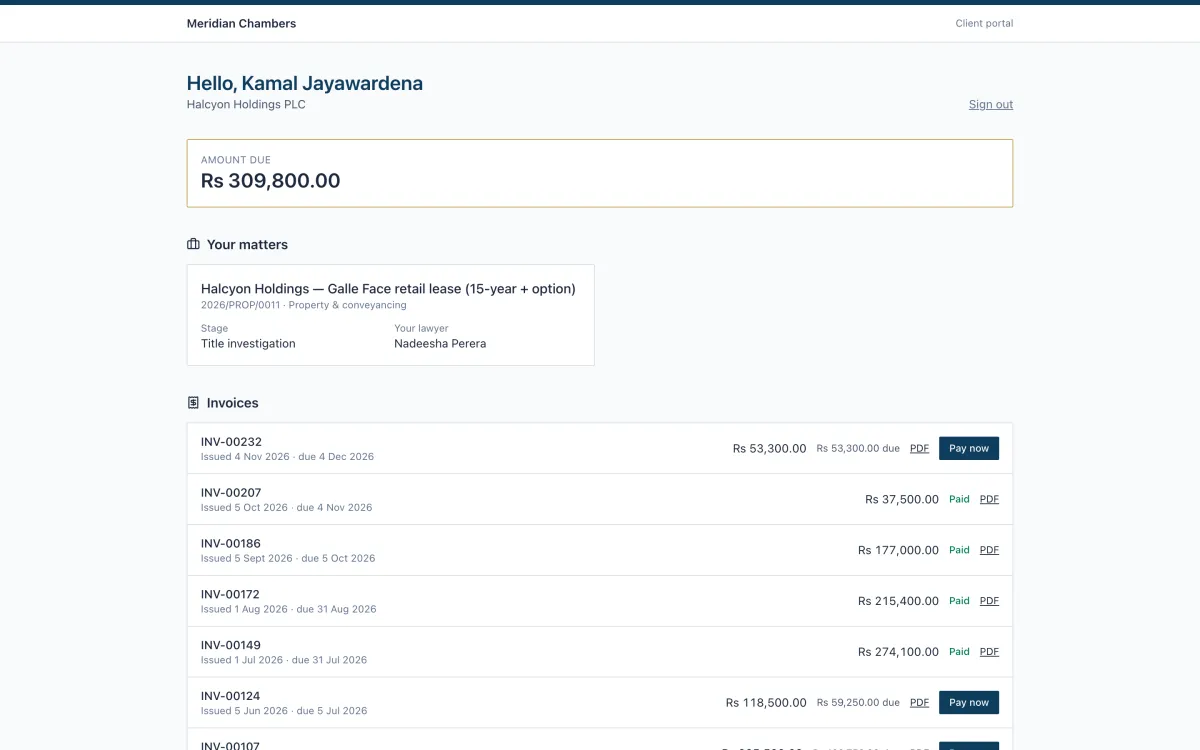
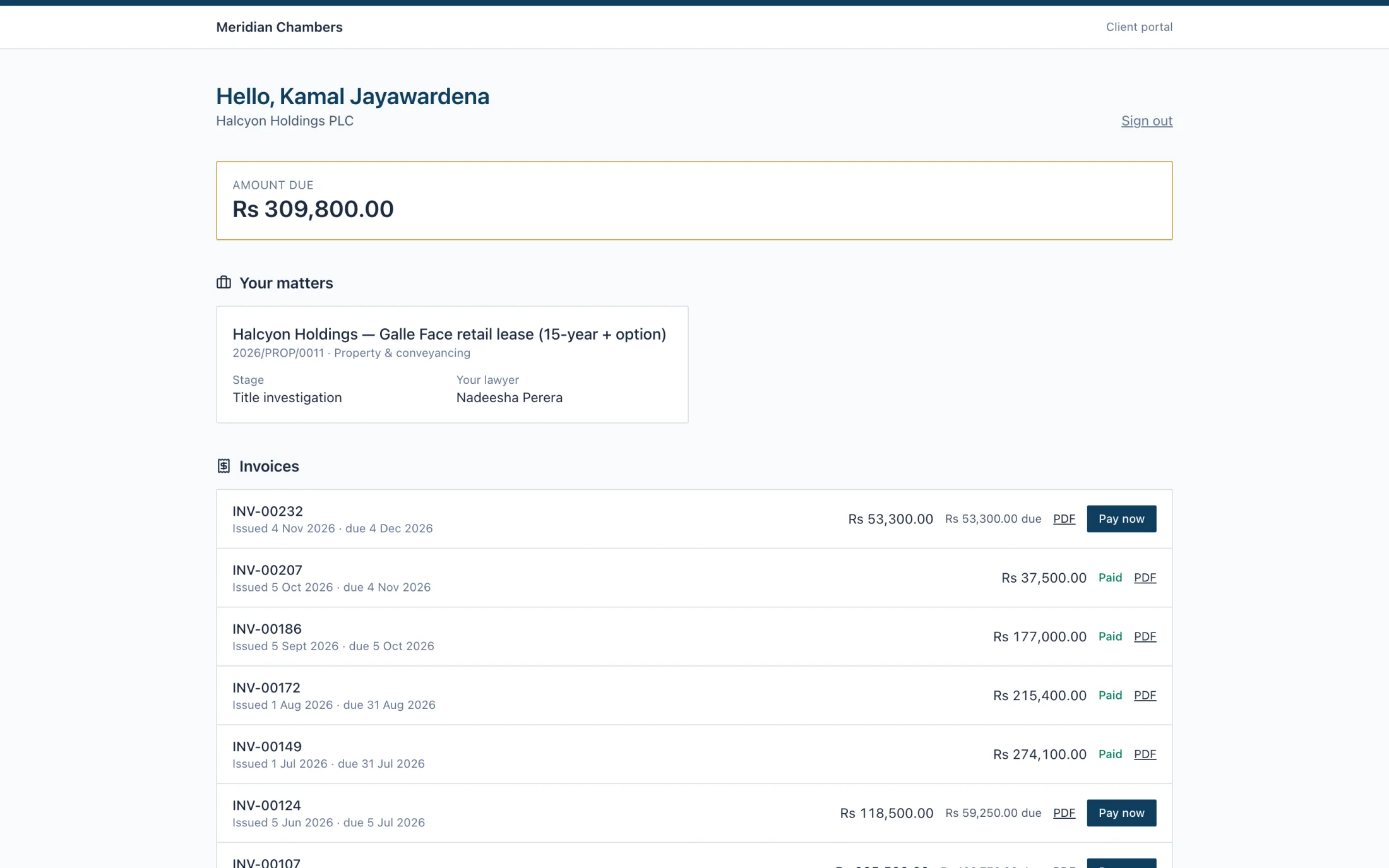
Client portal home with amount due, one matter with its stage and lawyer, and a list of invoices with Pay now buttons

What your clients see, and what you see.

Five screens from a sample firm. All names are fictional.
  1. 1 / 5
app.chamberonellp.com/intake/meridian-chambers
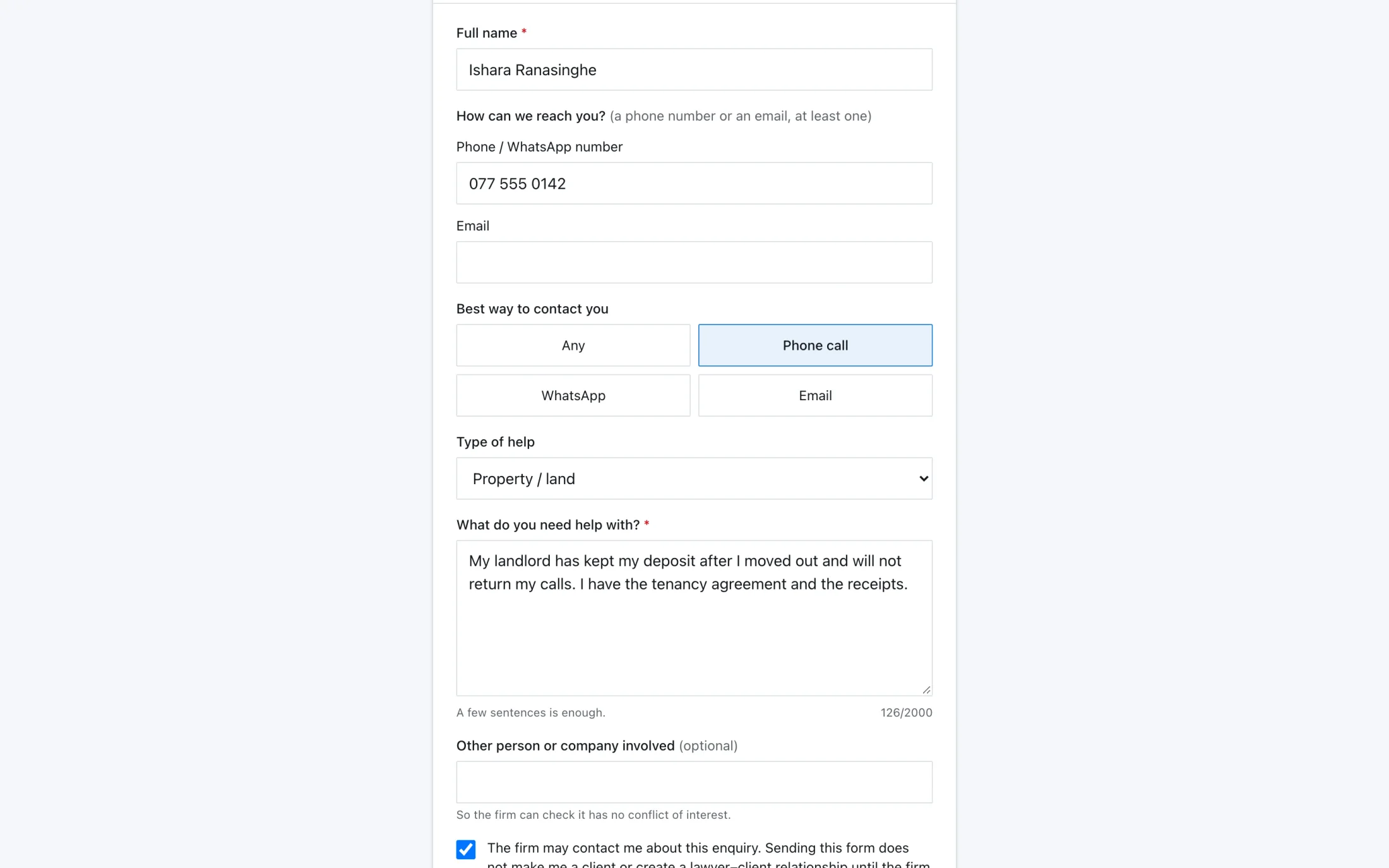
Public enquiry form with name, phone, preferred contact, type of help and a message filled in

What you get

  • Public enquiry form per firm, switched on by you, with a hidden field, rate limits and a daily cap against spam
  • Nothing becomes a client until you convert it
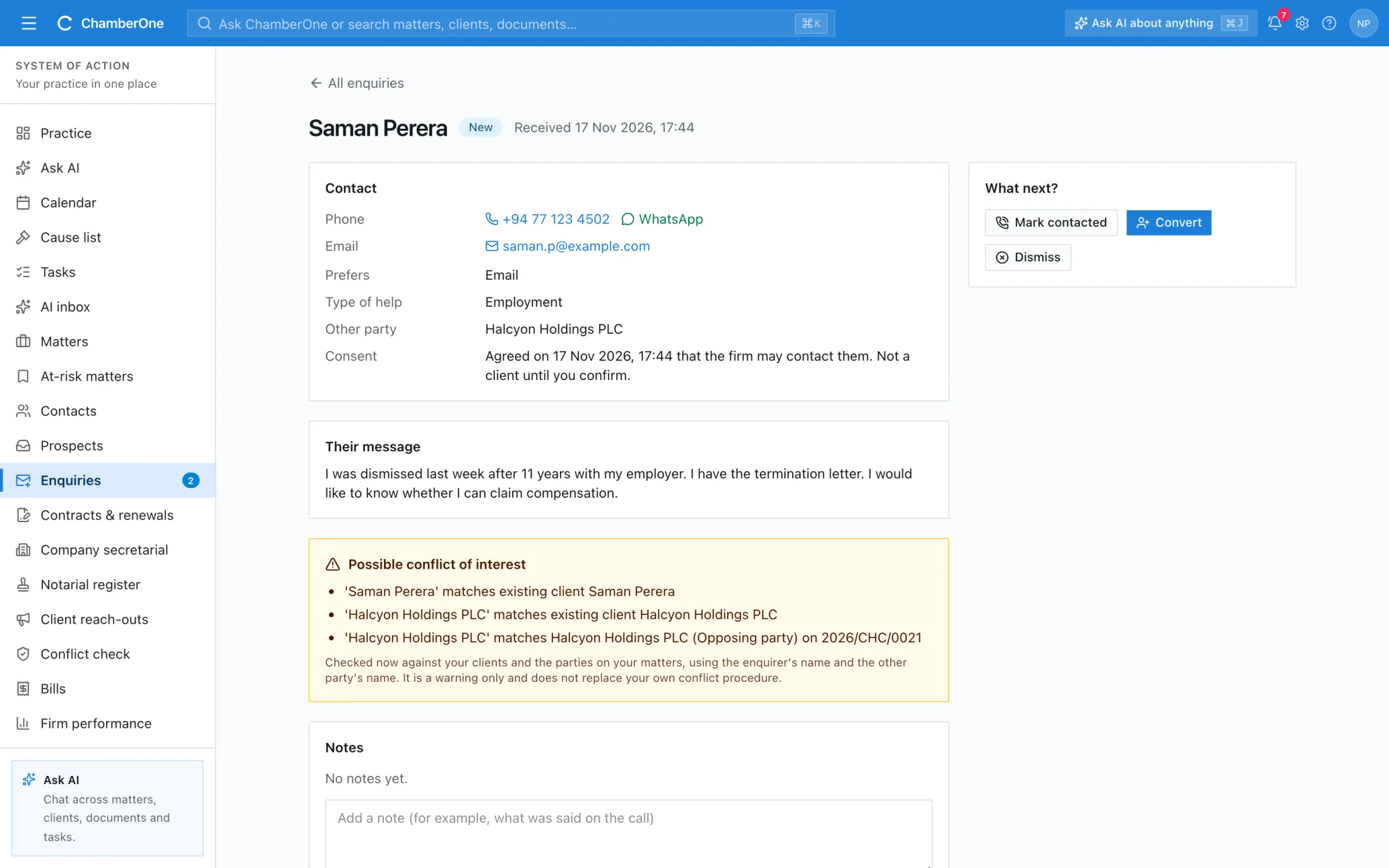
  • Inbox with notes, mark contacted, dismiss with a reason, reopen and an unread count
  • Name-based conflict warning on each enquiry; restricted matters stay masked
  • Convert to a client, optionally with a lead or a matter
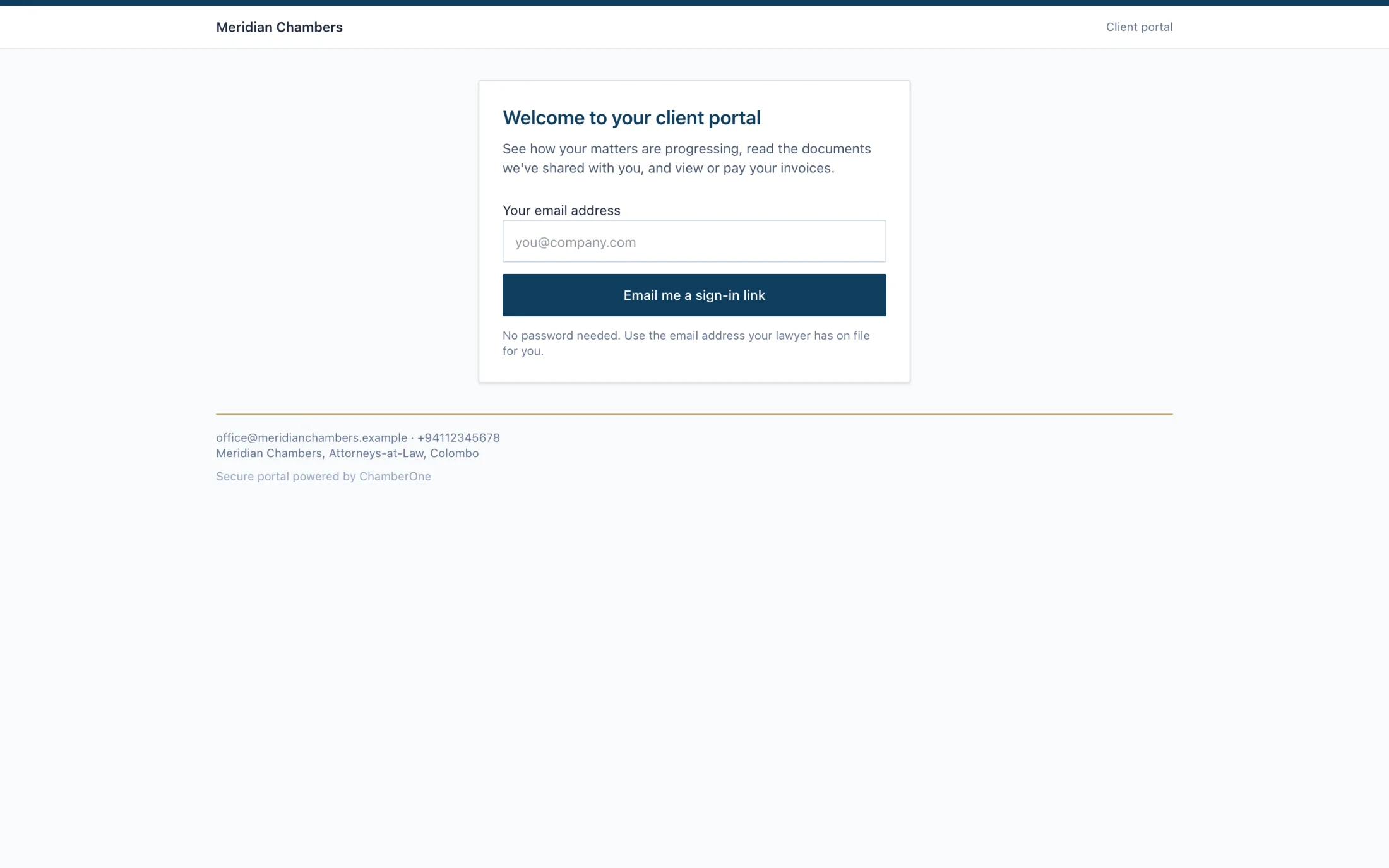
  • Branded portal with emailed sign-in links, no password: matters, shared documents and invoices, each switchable

How it works

  1. 1

    Share your enquiry form

    Switch the form on and share its link. Enquiries land in your inbox and nobody becomes a client yet.

  2. 2

    Work the inbox

    Read the enquiry, check the conflict warning, add notes, then convert it to a client, a lead or a matter, or dismiss it with a reason.

  3. 3

    Open the portal

    Invite a client contact. They sign in with an emailed link and see their matters, the documents you shared one by one, and their invoices.

Works together with

Included in the same subscription. Nothing here is a separate add-on.

Clients

Individual or company, with a client hub that shows every matter, invoice, document and note for that client.

Leads & pipeline

Track prospects from first contact to engaged, with source and estimated value, alongside your clients.

KYC & intake

Conflicts cleared and KYC documented before a matter opens. Partner sign-off recorded in audit.

Good to know

  • The conflict warning compares names only. It does not replace your own conflict procedure.
  • Clients see only what you switch on, and documents are shared one at a time.
  • Online invoice payment works only where online payments are set up for the firm.

Try it with your own matter.

60 days free, no card. A sample matter is loaded so the screens are not empty.