ChamberOne

Every point in a contract, traced to the page.

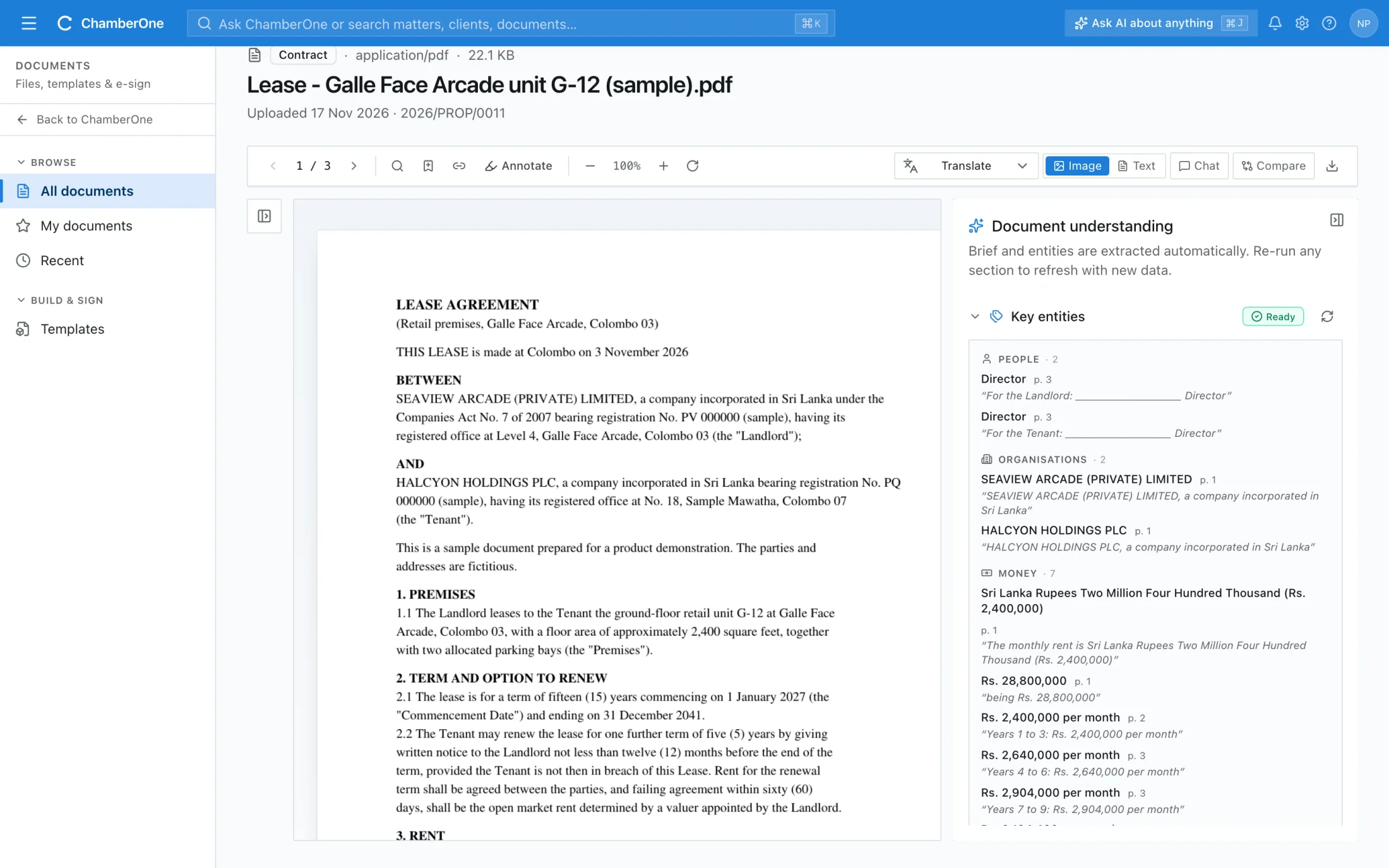
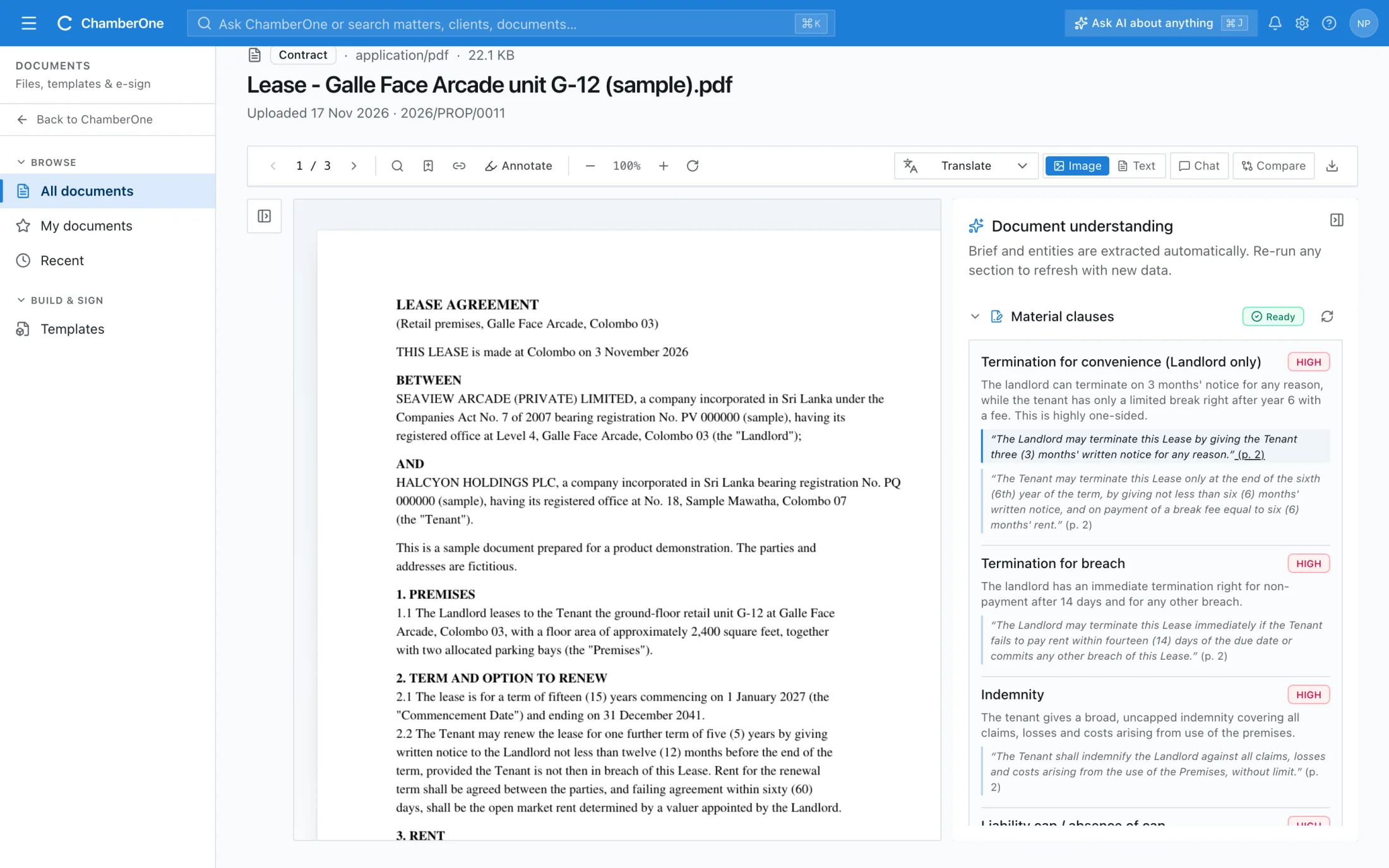
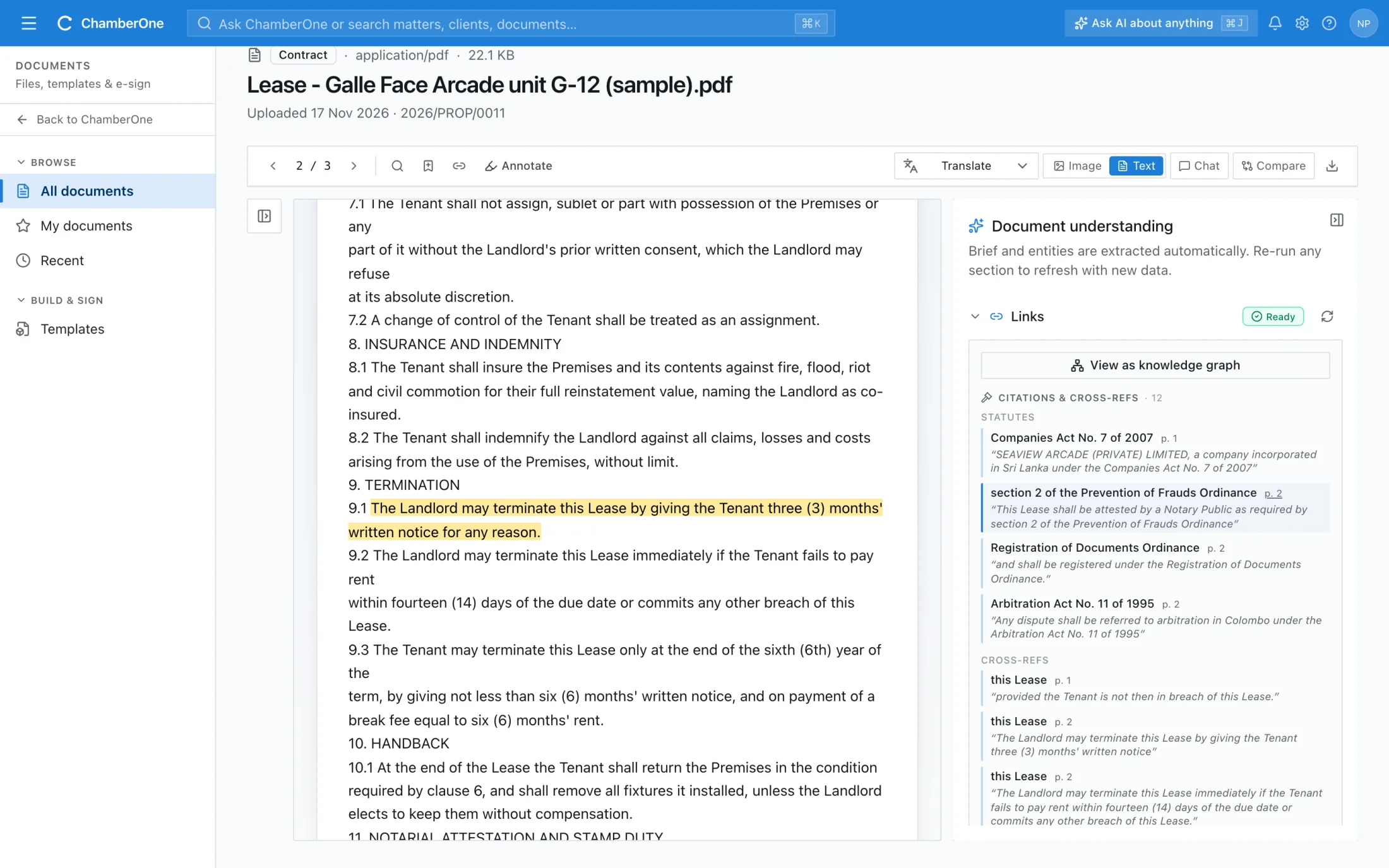
Upload a contract to a matter. ChamberOne writes a short brief, lists the parties, dates and amounts, rates each material clause low, moderate or high risk, and links every point to the words on the page.
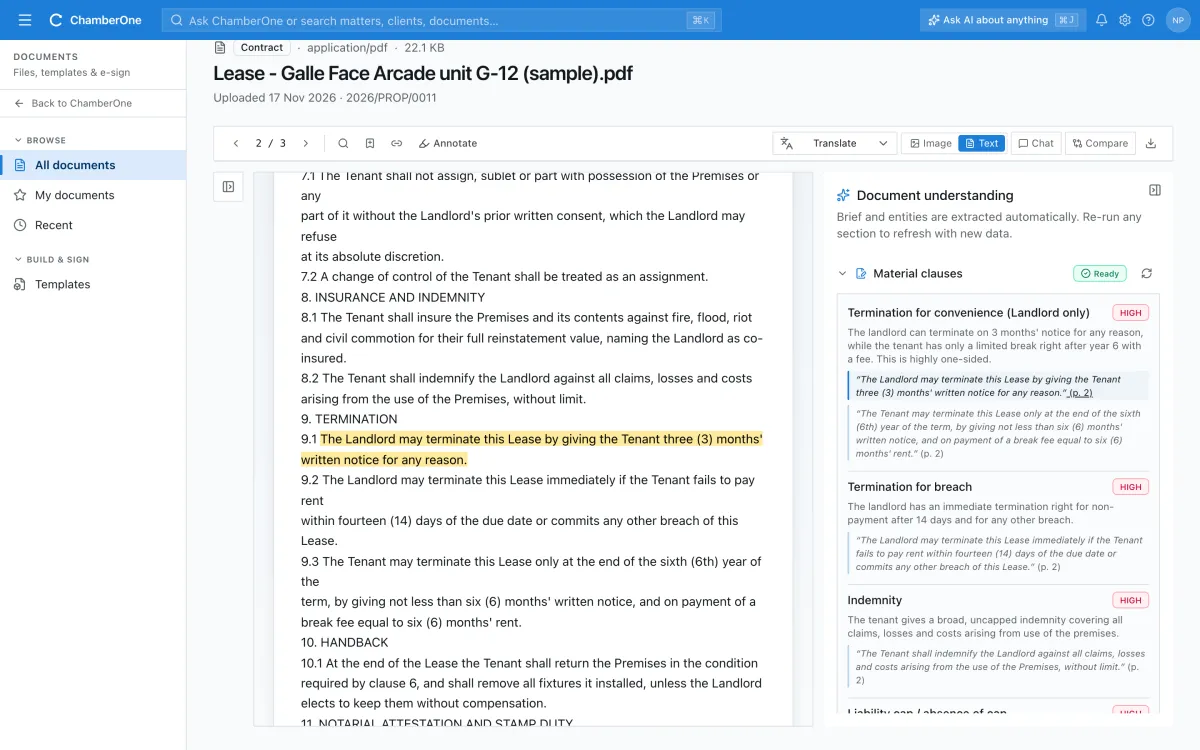
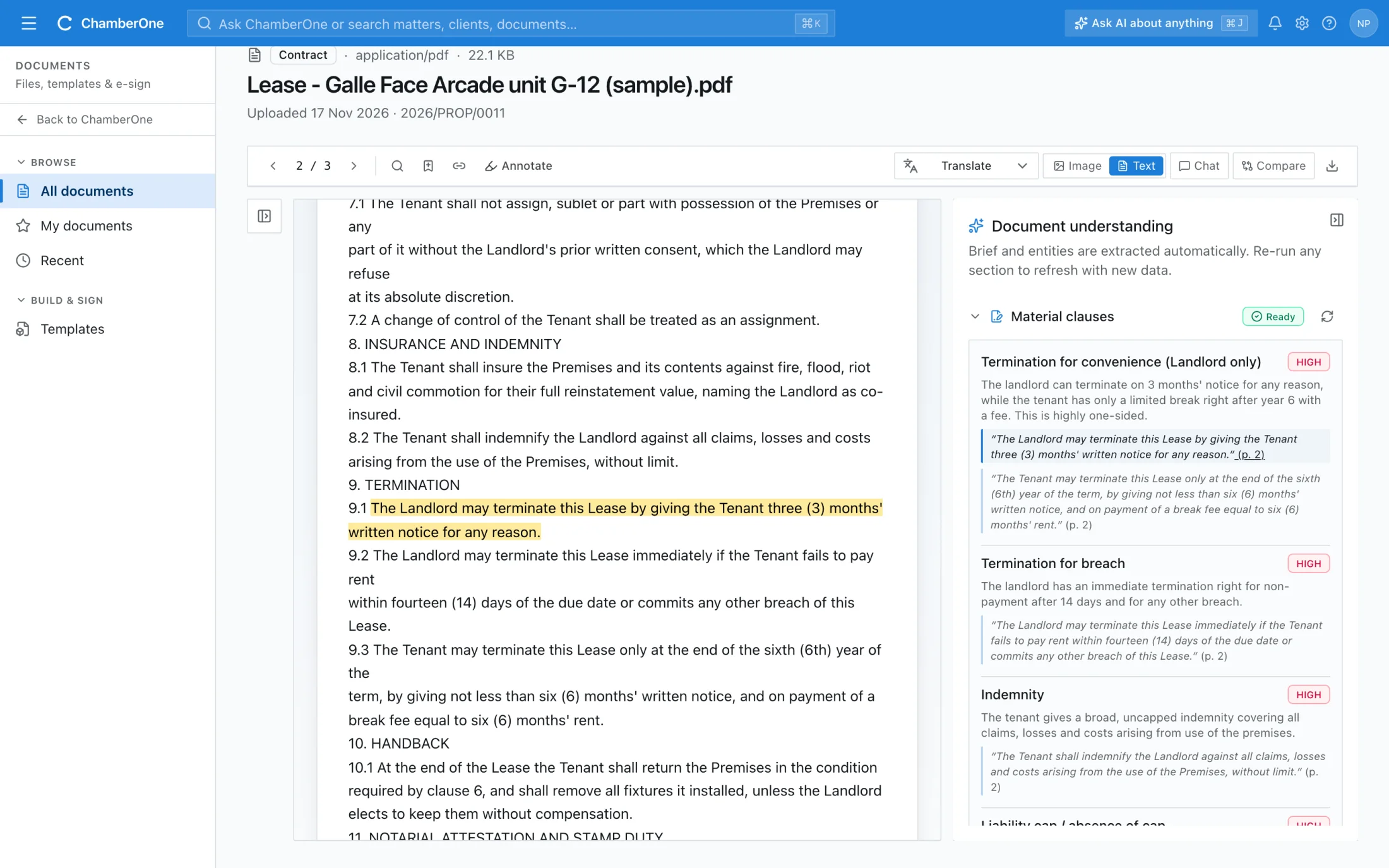
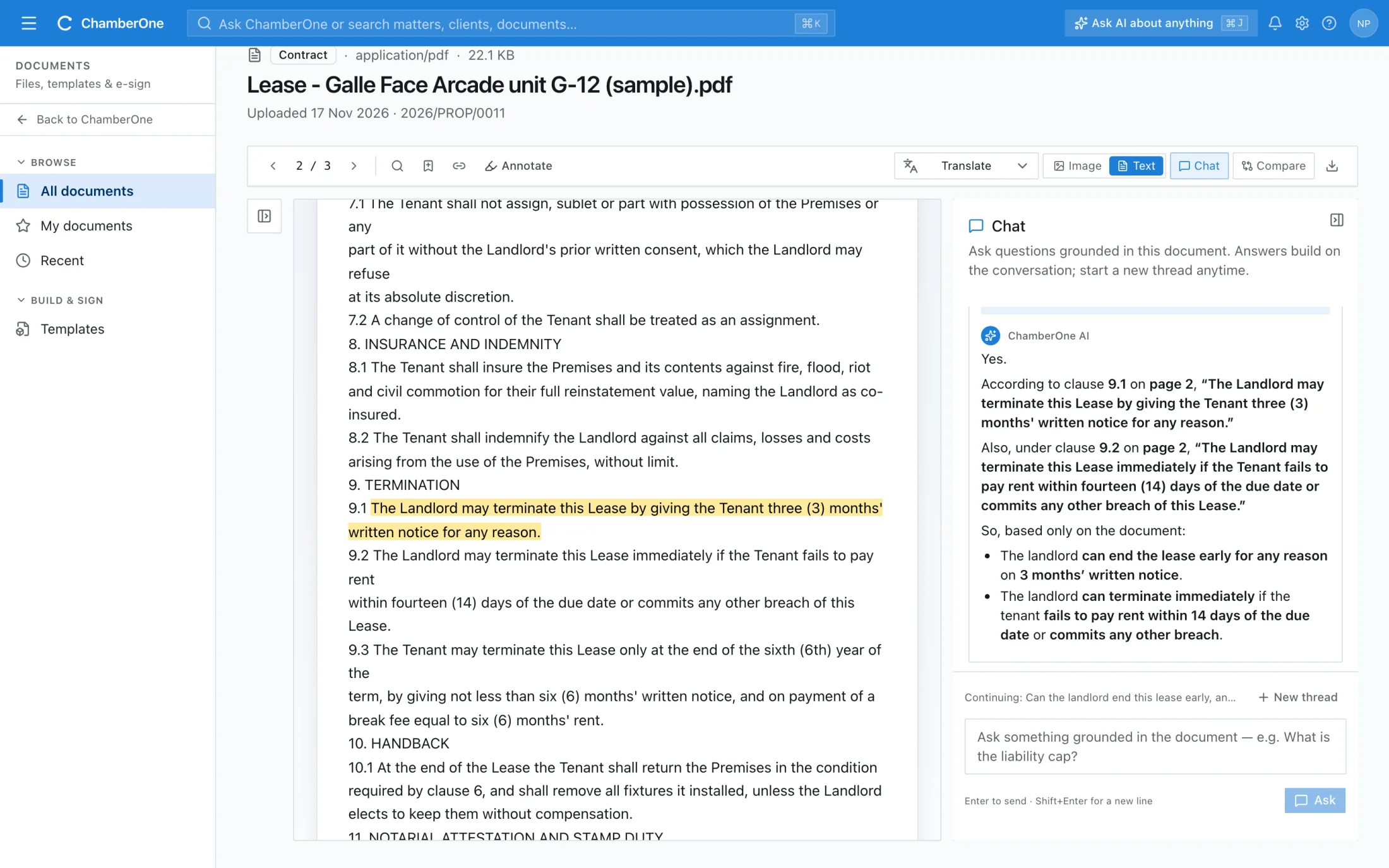
Clause 9.1 highlighted in the lease after clicking its quote in the clauses list

What you see when you open a contract.

Real screens from ChamberOne, on a sample 15-year retail lease. The analysis is what the AI returned; only the contract and the firm are made up.
  1. 1 / 6
app.chamberonellp.com/documents/lease-g12
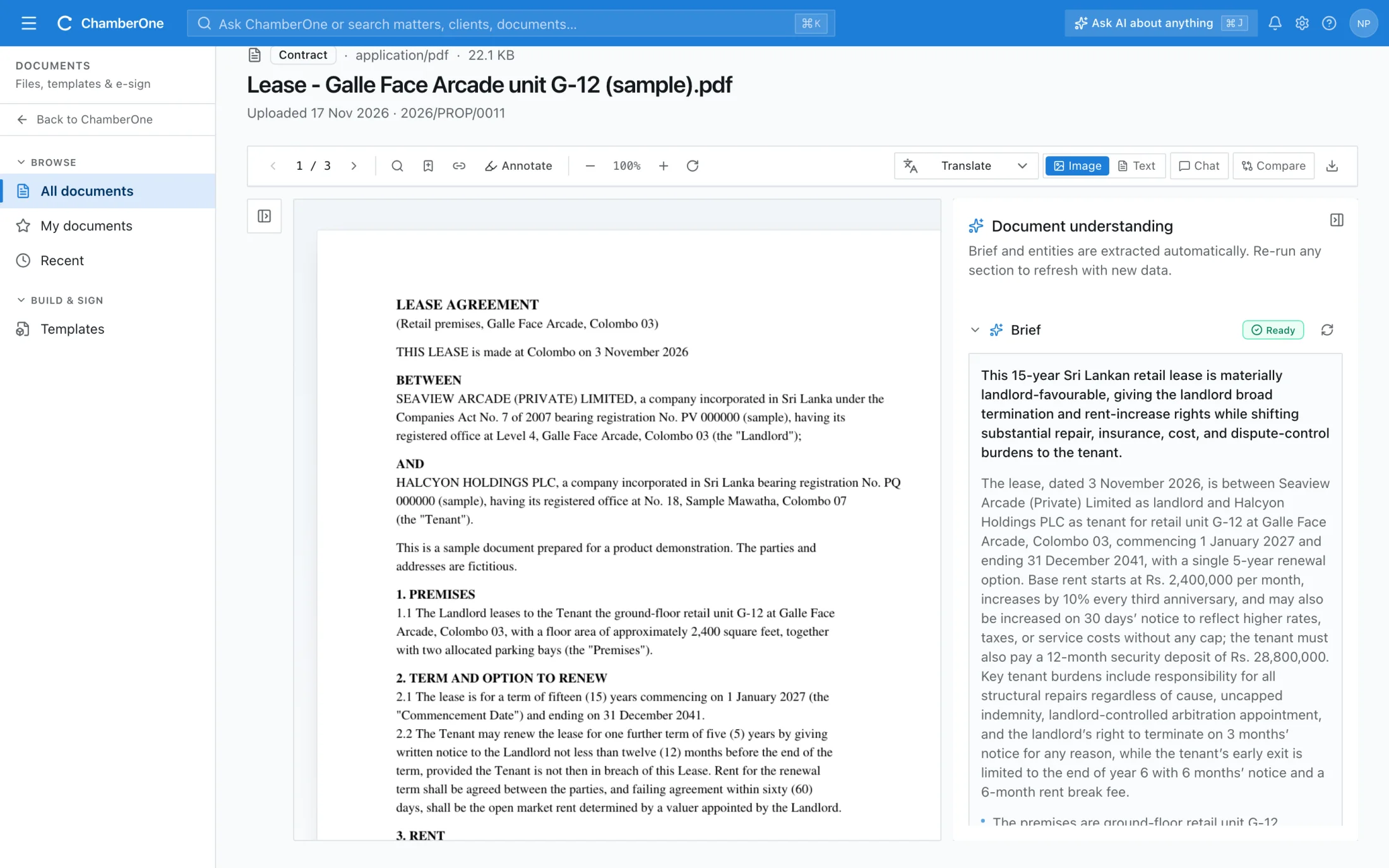
The document workspace with the lease on the left and a brief on the right saying the lease is landlord-favourable

What you get

  • PDF, Word, Excel, CSV, HTML and text files, scans and photos
  • Each clause rated low, moderate or high risk, with the exact quote
  • Click a quote to see it highlighted in the document
  • Ask questions; answers come only from the document and cite the page
  • Statutes, case references, annexures and cross-references listed
  • Translate a page, or compare two versions side by side

How it works

  1. 1

    Upload to a matter

    Add a PDF, Word or Excel file, a scan or a photo to the matter. Scanned pages are read automatically.

  2. 2

    Read the brief

    When the document opens, ChamberOne writes a brief and lists the people, companies, dates, amounts and registration numbers in it.

  3. 3

    Check it against the page

    Run the clauses and links when you need them. Each clause has a risk level and the exact quote; click it to see the words highlighted.

Works together with

Included in the same subscription. Nothing here is a separate add-on.

Tasks

AI-suggested, human and default-template tasks in one queue. AI suggestions stay marked until accepted.

Import & export

Bring clients and matters in from Excel or CSV; export lists and reports to Excel when you need them.

Mobile apps

iOS and Android apps for matters, tasks, documents and Ask AI when you are away from your desk.

Good to know

  • The analysis is produced by an AI model and can miss or misread things. Check it against the document.
  • Starter and Small Firm include 30 document analyses per user each month; running another part of the analysis on the same document that month is free. Professional has no limit.
  • Files up to 50 MB. For scanned documents, up to 30 scanned pages are read.
  • The document text is sent to the AI provider chosen for this feature. The Security & AI page says what is sent and on what terms.

Try it with your own matter.

60 days free, no card. A sample matter is loaded so the screens are not empty.