ChamberOne

Confidential work stays confidential, inside the firm too

Mark a matter or a client Restricted and it disappears for everyone except the people who should see it. Roles decide the rest, and two-step sign-in protects the account behind each person.
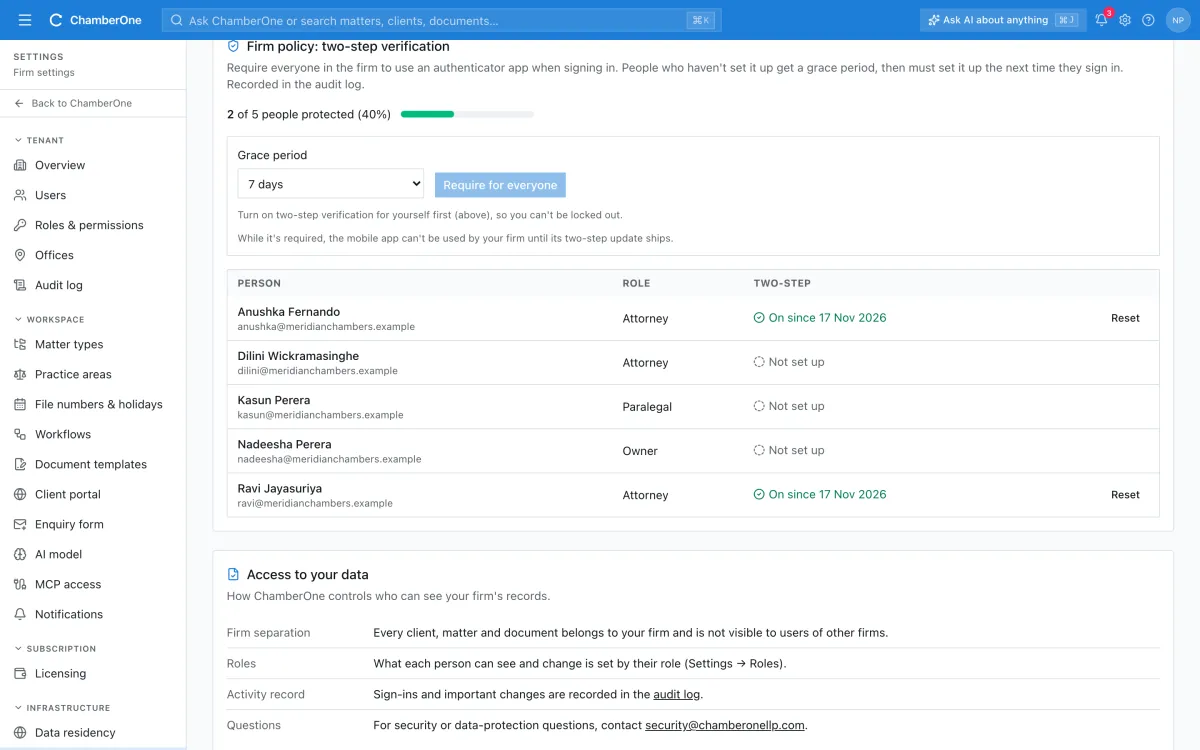
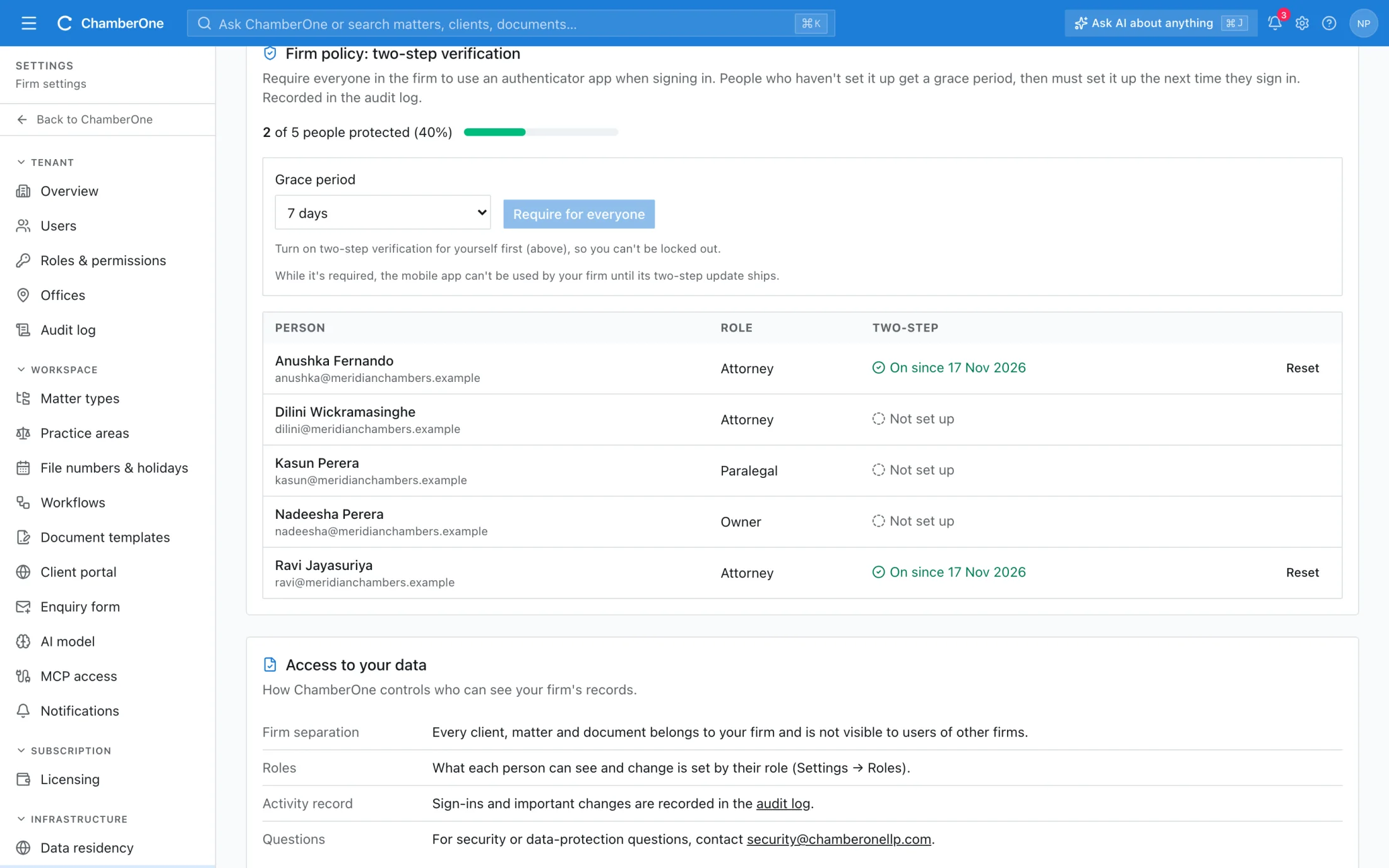
The Security screen with the firm policy for two-step verification, a meter reading 2 of 5 people protected and a list of people.

Access control in the app

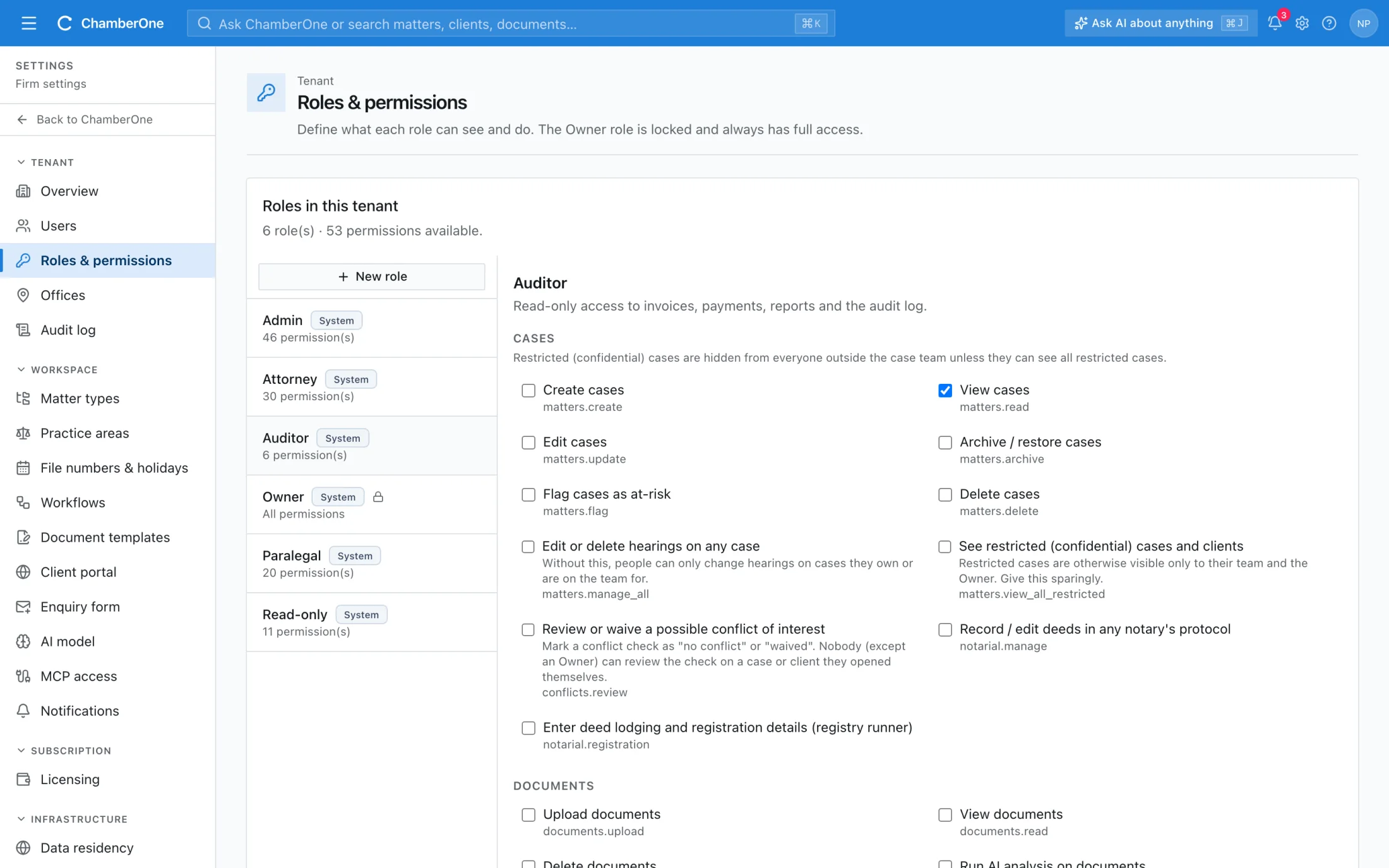
Five screens from a sample firm. All names and matters are fictitious.
  1. 1 / 5
app.chamberonellp.com/matters/2026-chc-0022
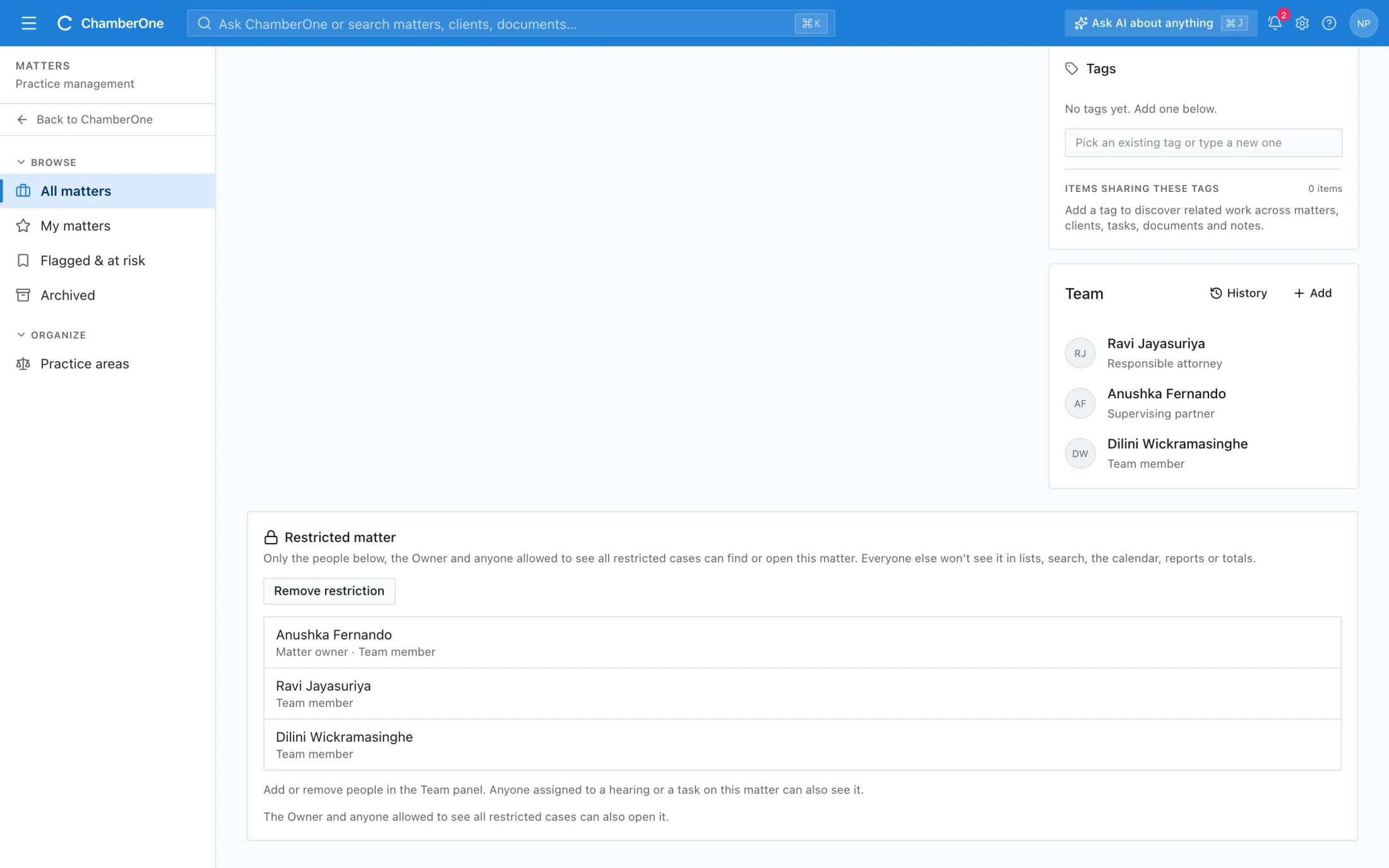
A matter page with a lock badge and a Restricted matter panel listing the people who can see it.

What you get

  • Restricted matters and clients are visible only to the team, the Owner, the people you name and holders of the see-all-restricted permission
  • Hidden from lists, search, reports and the audit log, and enforced on the server on every request
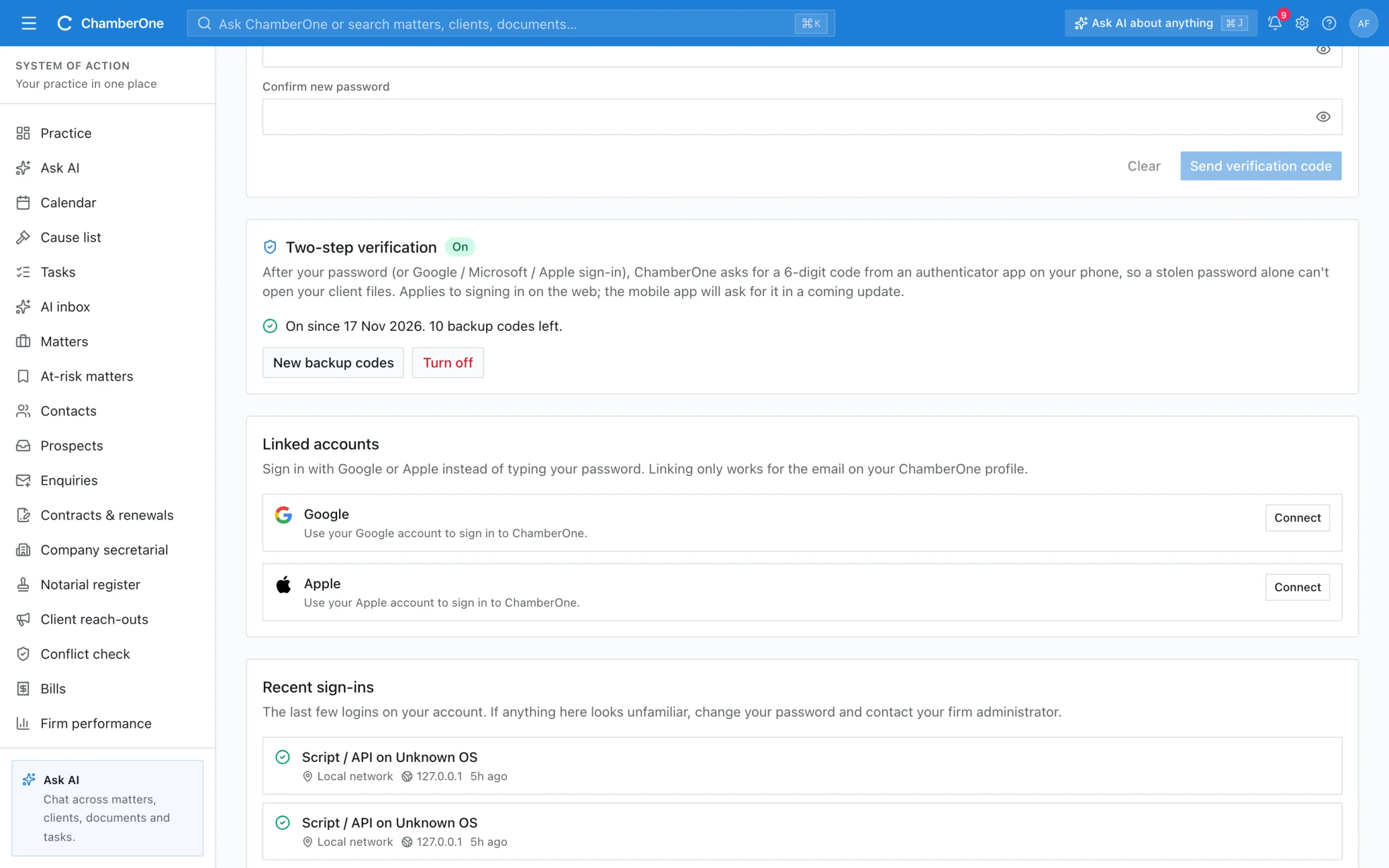
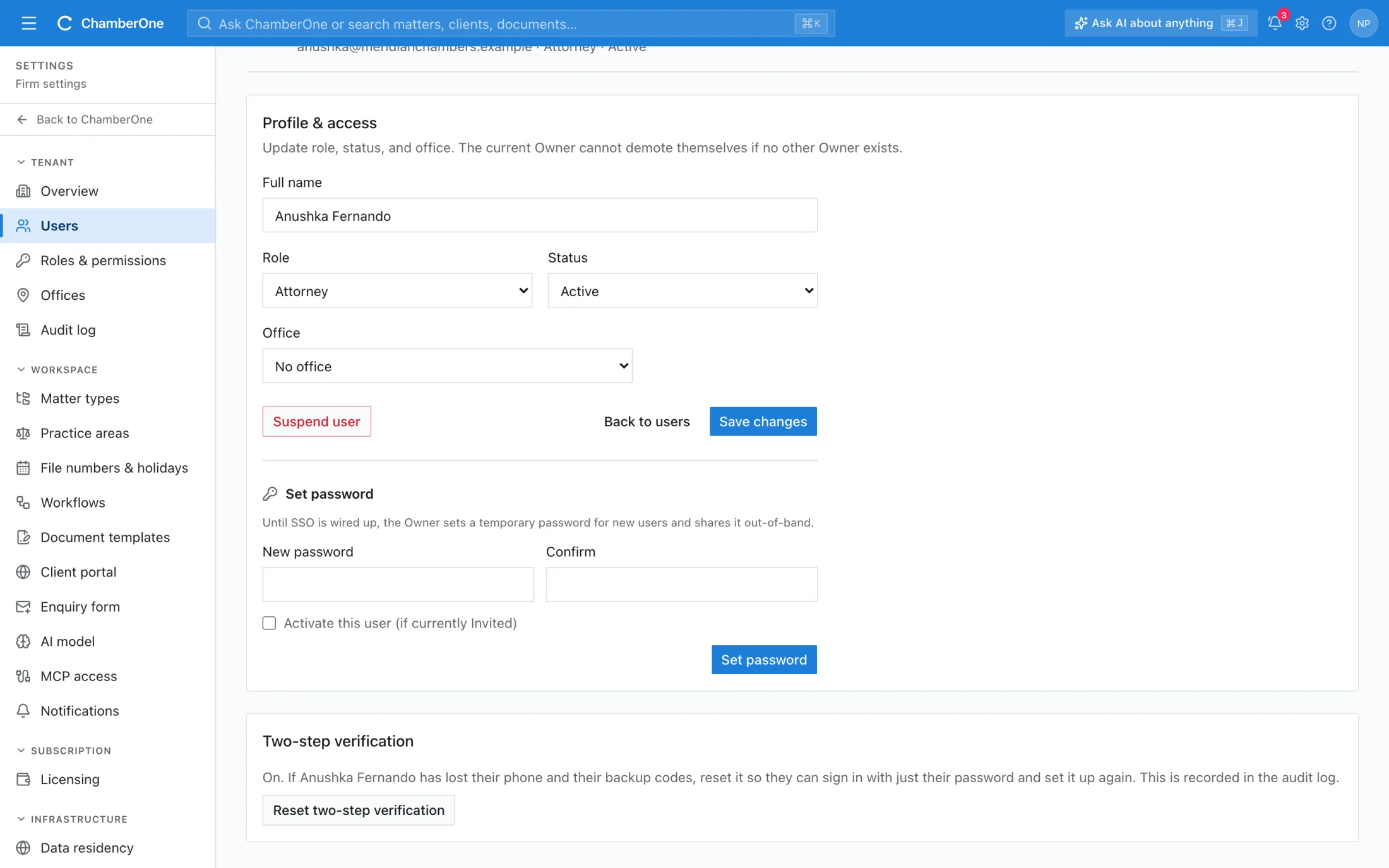
  • Two-step verification with an authenticator app, with 10 backup codes; a firm can require it, with a grace period of 0, 7, 14 or 30 days
  • Six built-in roles (Owner, Admin, Attorney, Paralegal, Read-only, Auditor) and custom roles, with about 55 permissions explained in plain words
  • Nobody approves their own invoice or reviews a conflict check on a matter they opened
  • Failed sign-in alerts in the app, and by email after 3 failures in 15 minutes

How it works

  1. 1

    Mark it Restricted

    Set a matter or a client to Restricted. The panel shows who can still open it.

  2. 2

    Only the right people see it

    For everyone else it does not appear in lists, search, reports or the audit log.

  3. 3

    Protect sign-in and roles

    Give each role only what it needs, turn on two-step verification and require it for the firm if you want.

Works together with

Included in the same subscription. Nothing here is a separate add-on.

Team & roles

Built-in roles plus your own. Permissions are enforced on the server, not just hidden in the interface.

Sign-up & invites

Start a trial yourself, or invite colleagues by email; invite links expire after 7 days. Sign in with email and password, Google or Apple.

Notifications

In-app and email alerts for assignments, deadlines, AI suggestions, signed letters and new enquiries.

Good to know

  • Sign-in on the web is by email and password, Google or Apple. SAML single sign-on is not available today.
  • While two-step verification is required for the firm, its people cannot use the mobile app.
  • There is no list of open sessions and no sign-out-everywhere button. Each person sees their recent sign-ins and connected devices.

Try it with your own matter.

60 days free, no card. A sample matter is loaded so the screens are not empty.