ChamberOne

Draft from your templates. Send the letter for signature.

Fill a precedent or template with the matter's details, edit it, and export to Word. Then send an engagement letter for click-to-sign and keep the signed copy on the matter.
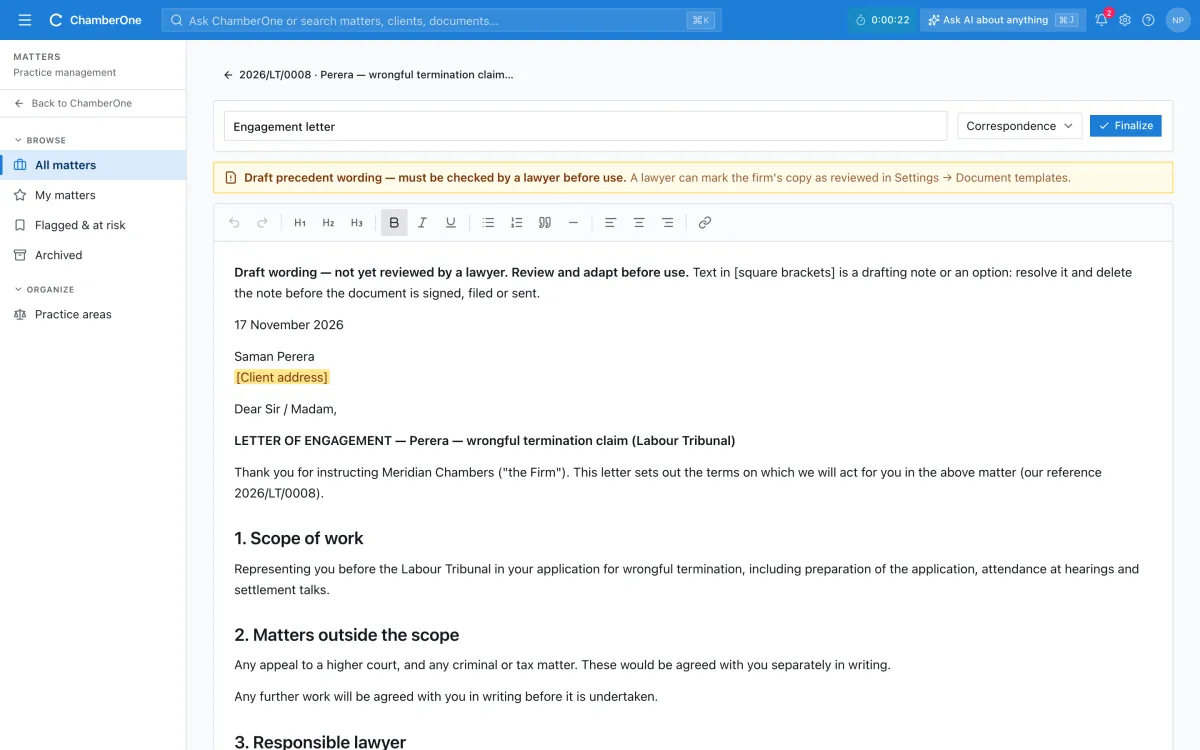
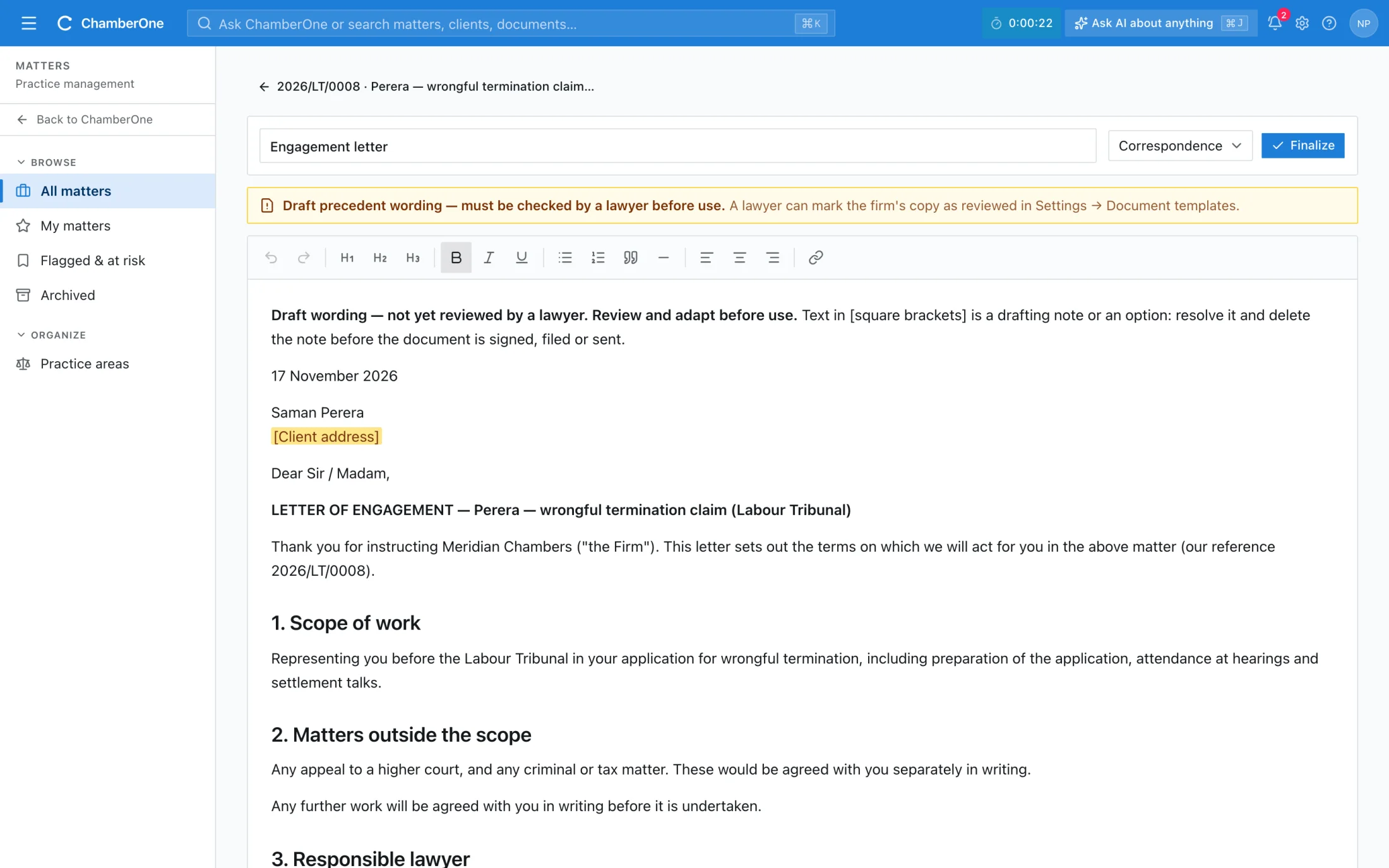
Draft engagement letter in the editor with the client and matter details filled in and a missing client address highlighted

From template to signature, step by step

Five screens from a sample firm: a precedent, the filled draft, Word export, the client's signing page and the signed result.
  1. 1 / 5
app.chamberonellp.com/settings/document-templates
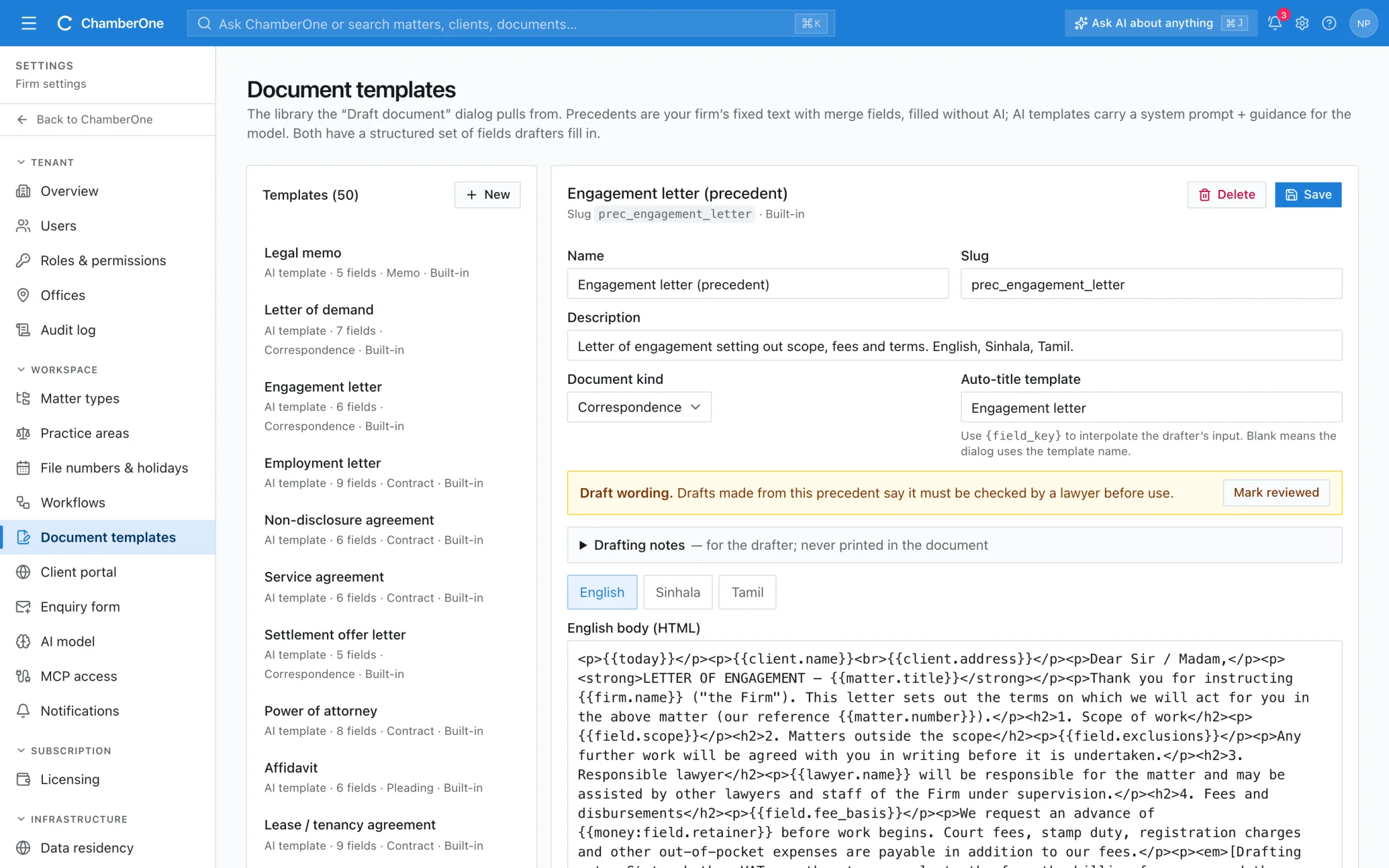
Document templates settings with the engagement letter precedent open, showing a draft-wording notice, a Mark reviewed button and English, Sinhala and Tamil tabs

What you get

  • Two kinds of template: fixed-text precedents filled without AI, and AI-written templates
  • Merge fields from the matter, client, parties, court, hearing, company, deed, notary, firm and lawyer; missing values are highlighted
  • Seeded Sri Lankan precedents, including an engagement letter, with output in English, Sinhala, Tamil or side by side
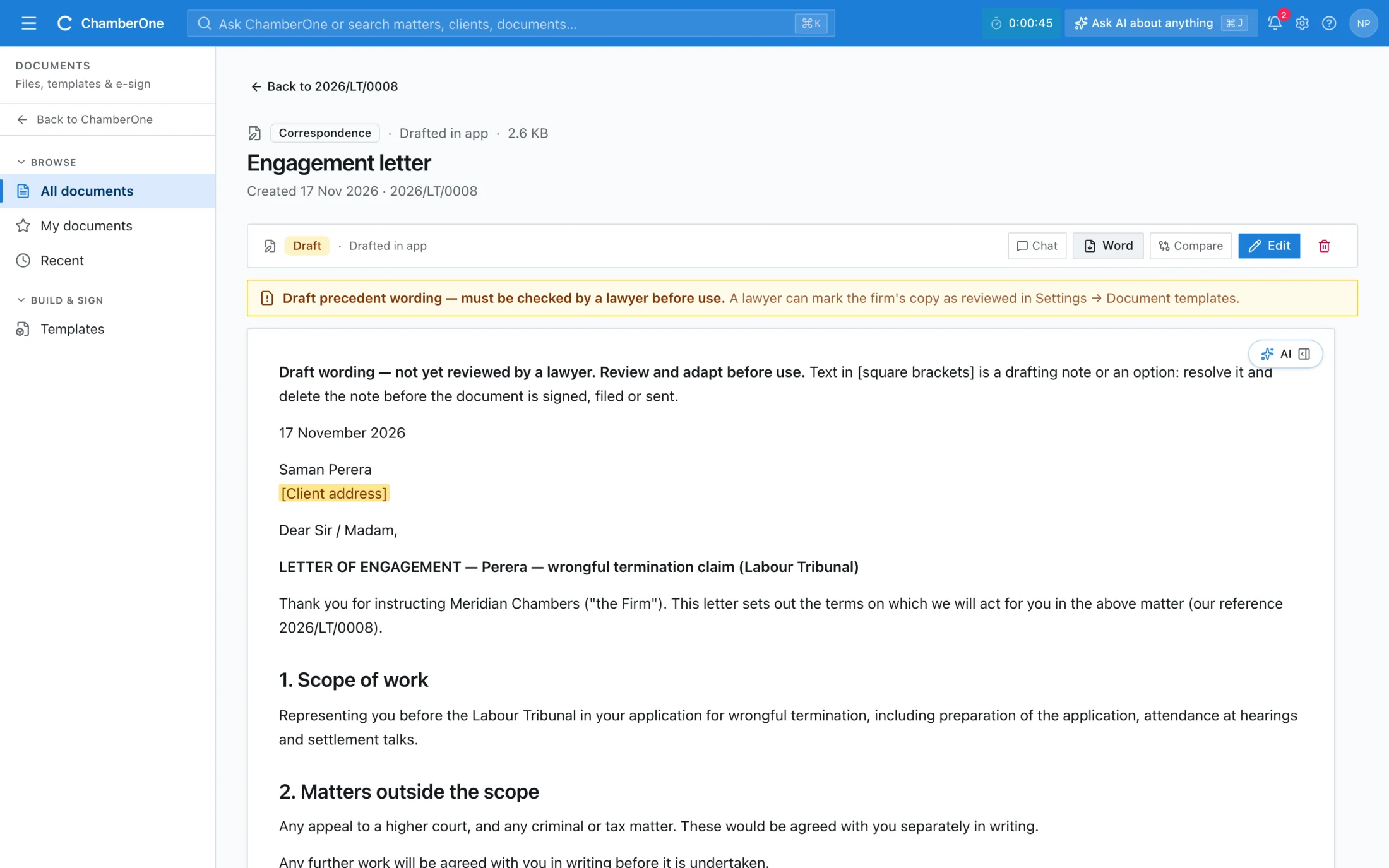
  • Draft editor with autosave; Finalize locks it; Word (.docx) export with a DRAFT or FINAL footer, recorded in the audit log
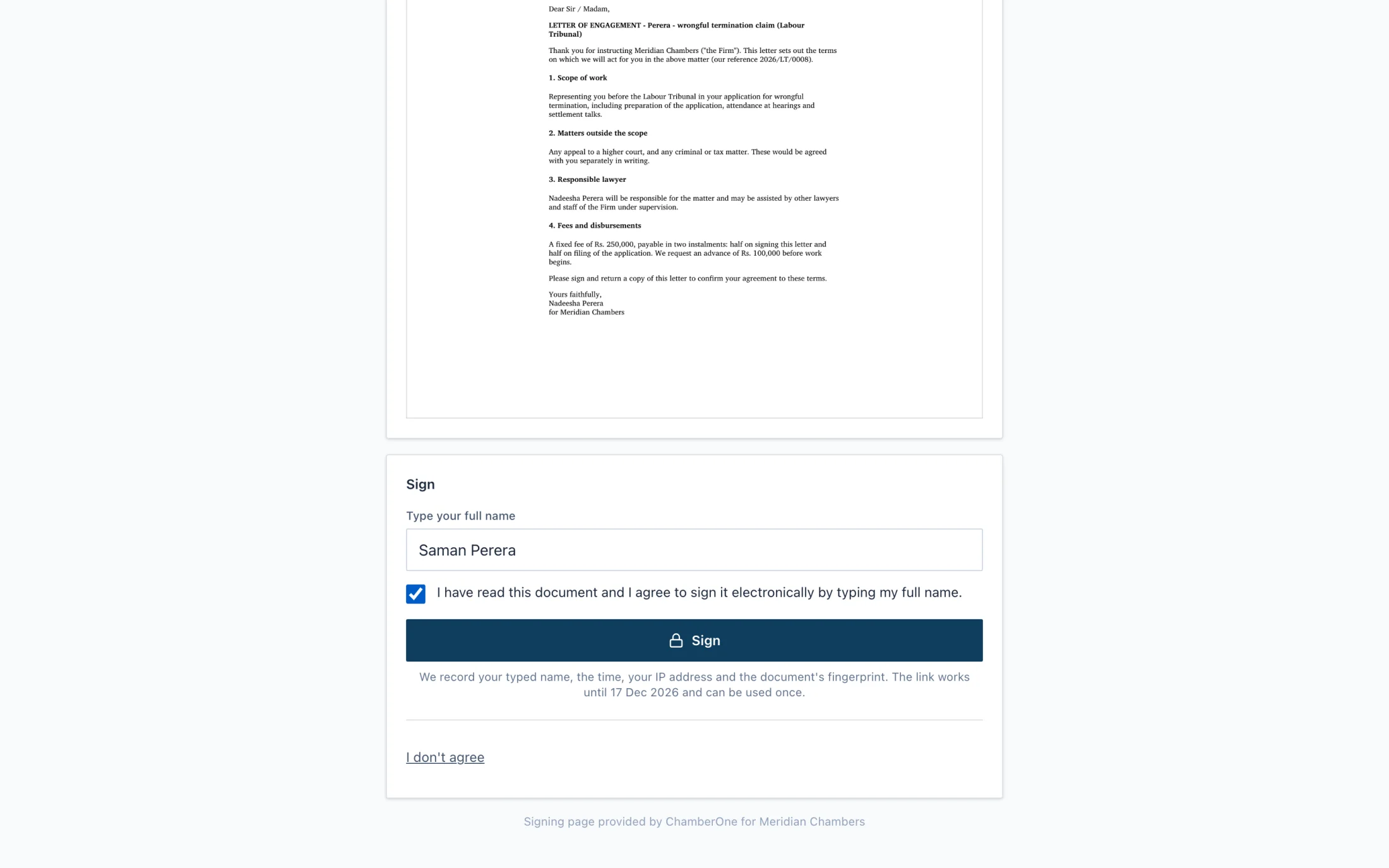
  • Click-to-sign: the client types their name and ticks consent, or declines. Name, time, IP address and the document's fingerprint are recorded
  • A contracts register with renewal and notice dates

How it works

  1. 1

    Pick a precedent or template

    Merge fields are filled from the matter, the client and the parties. Missing values are highlighted. Choose English, Sinhala, Tamil or side by side.

  2. 2

    Edit, finalize, export

    Edit in the browser, finalize to lock the draft, and export to Word. Precedents show whether their wording has been reviewed by a lawyer.

  3. 3

    Send for signature

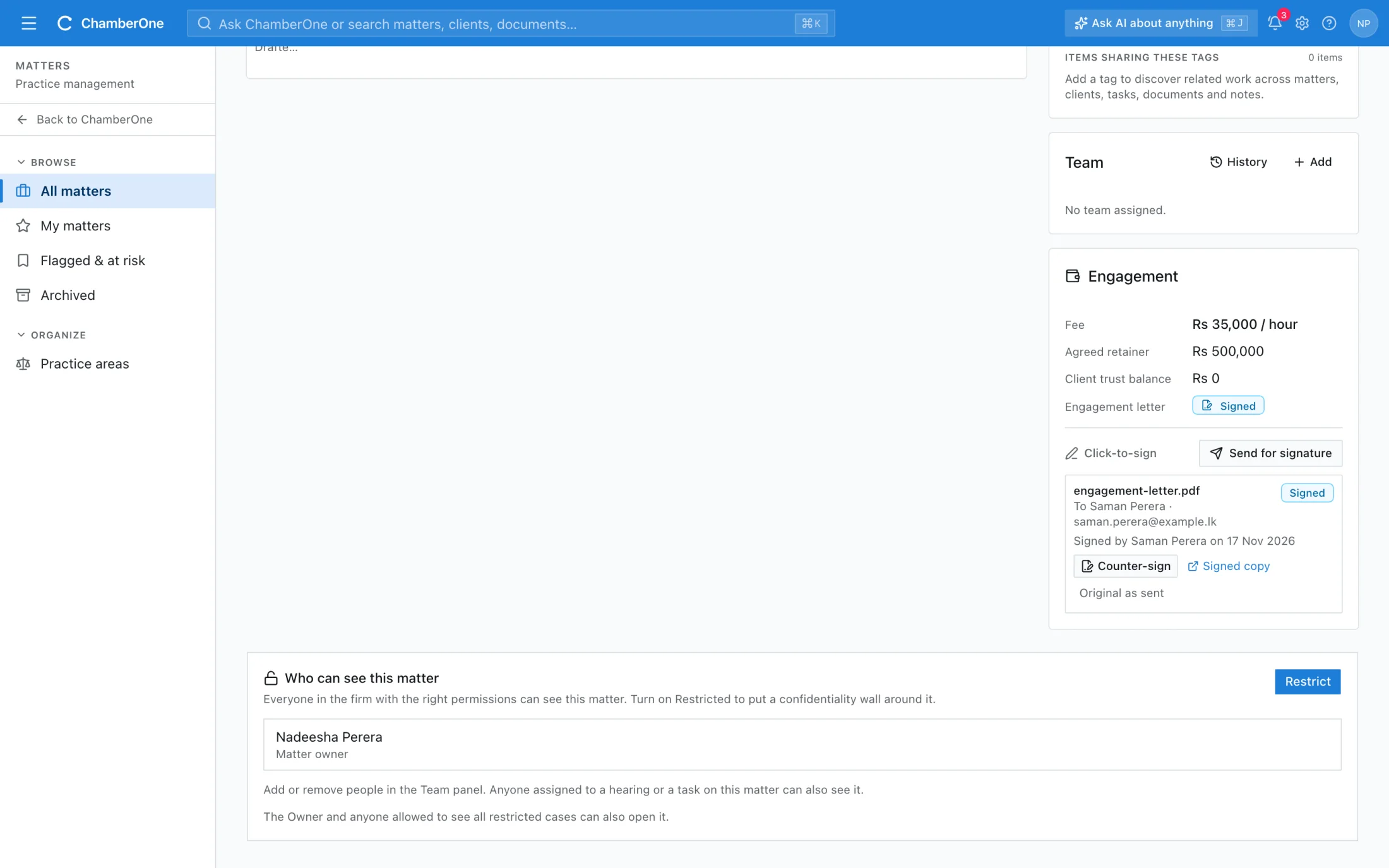
    Upload the letter as a PDF and send the link by email or WhatsApp. The client signs on a page that shows only that document. The signed copy is saved on the matter and the engagement letter status updates.

Works together with

Included in the same subscription. Nothing here is a separate add-on.

Notifications

In-app and email alerts for assignments, deadlines, AI suggestions, signed letters and new enquiries.

KYC & intake

Conflicts cleared and KYC documented before a matter opens. Partner sign-off recorded in audit.

Clients

Individual or company, with a client hub that shows every matter, invoice, document and note for that client.

Good to know

  • Signing takes a PDF uploaded to the matter. There is no one-click export of a draft to PDF: export to Word, make the PDF, then upload it.
  • The signing panel appears once the matter has an engagement record. Click-to-sign is a simple electronic signature, not a qualified one.
  • Some documents, such as deeds and wills, need formalities that an electronic signature does not meet. AI-written templates need the AI service to be switched on.

Try it with your own matter.

60 days free, no card. A sample matter is loaded so the screens are not empty.