ChamberOne

Know who did what, and who tried

ChamberOne records every signed-in request, including refused ones, and shows it in plain language. Owners, Admins and Auditors can read it, and anyone who can't see a restricted record doesn't see its events either.
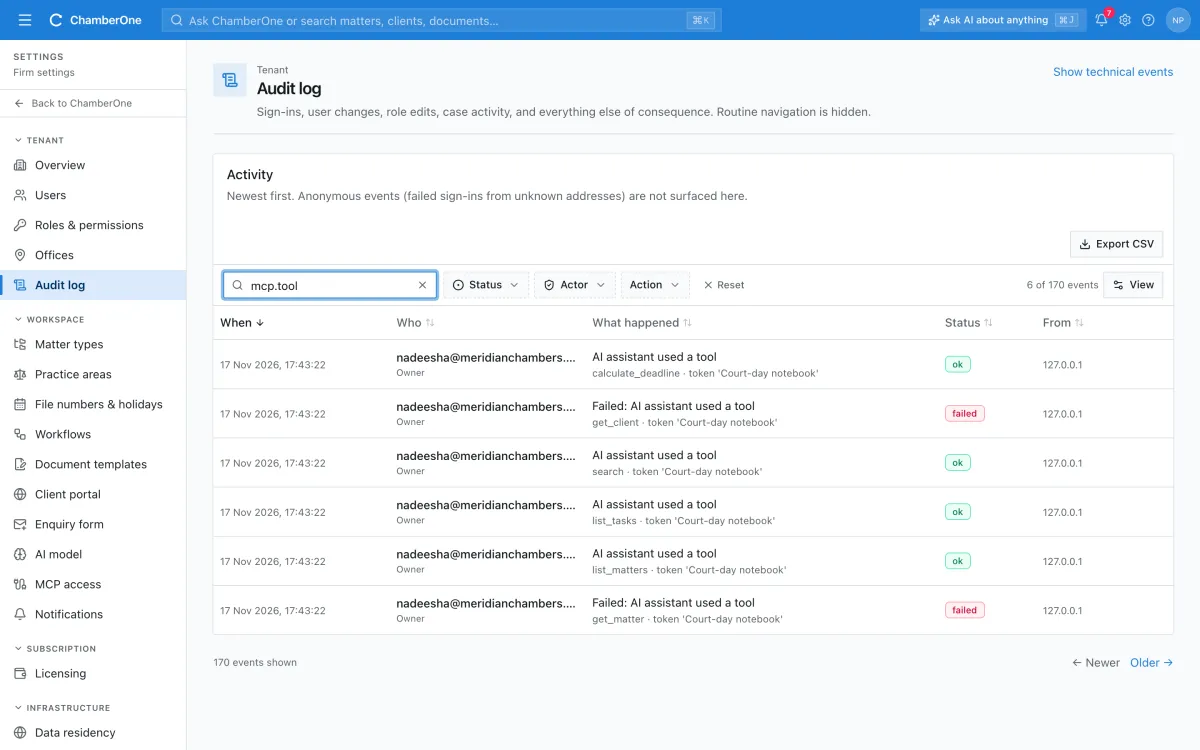
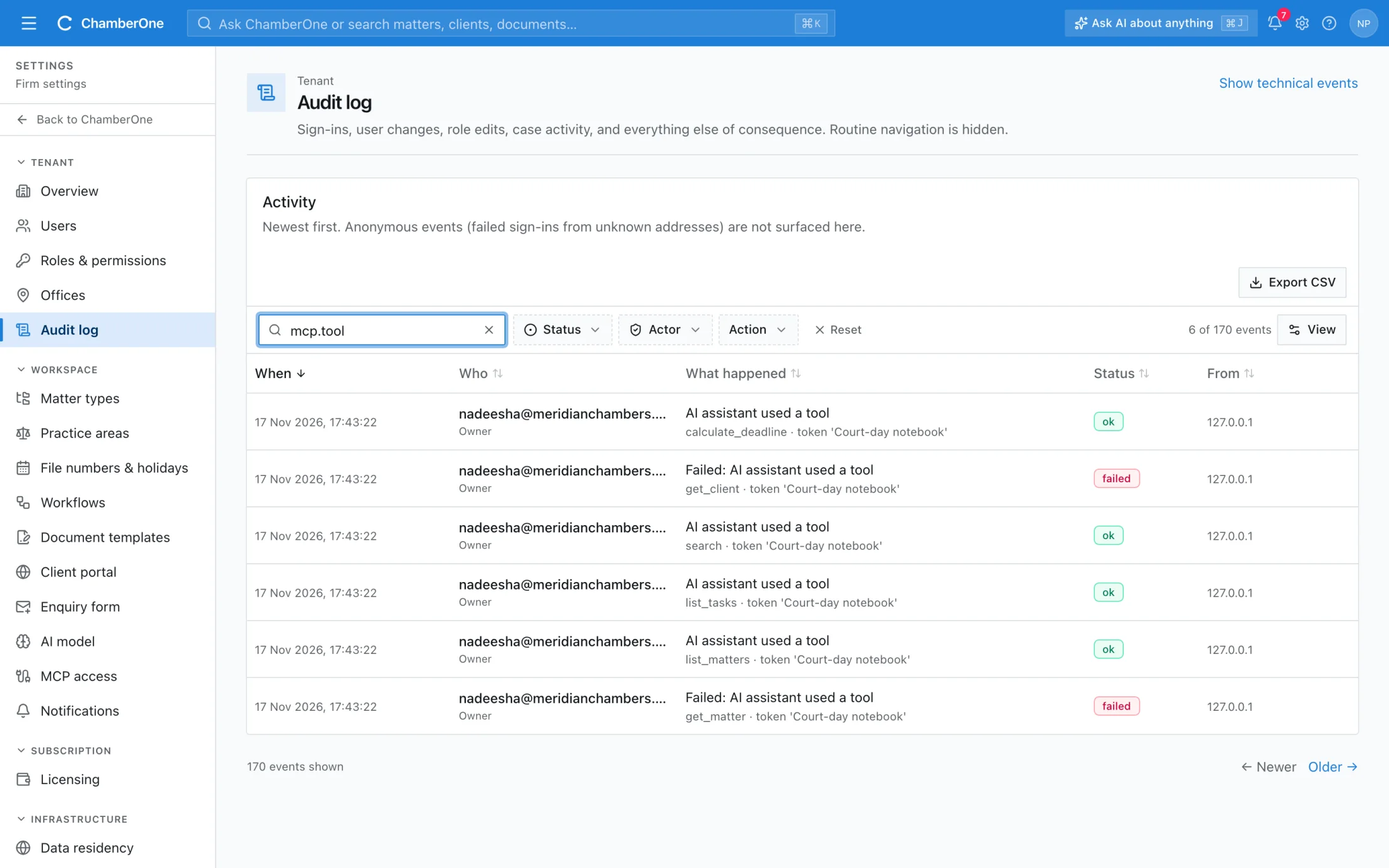
The Audit log searched for AI assistant events, each naming a tool such as search or list_matters and a token.

The audit trail in the app

Five screens from a sample firm. All names and matters are fictitious.
  1. 1 / 5
app.chamberonellp.com/settings/audit
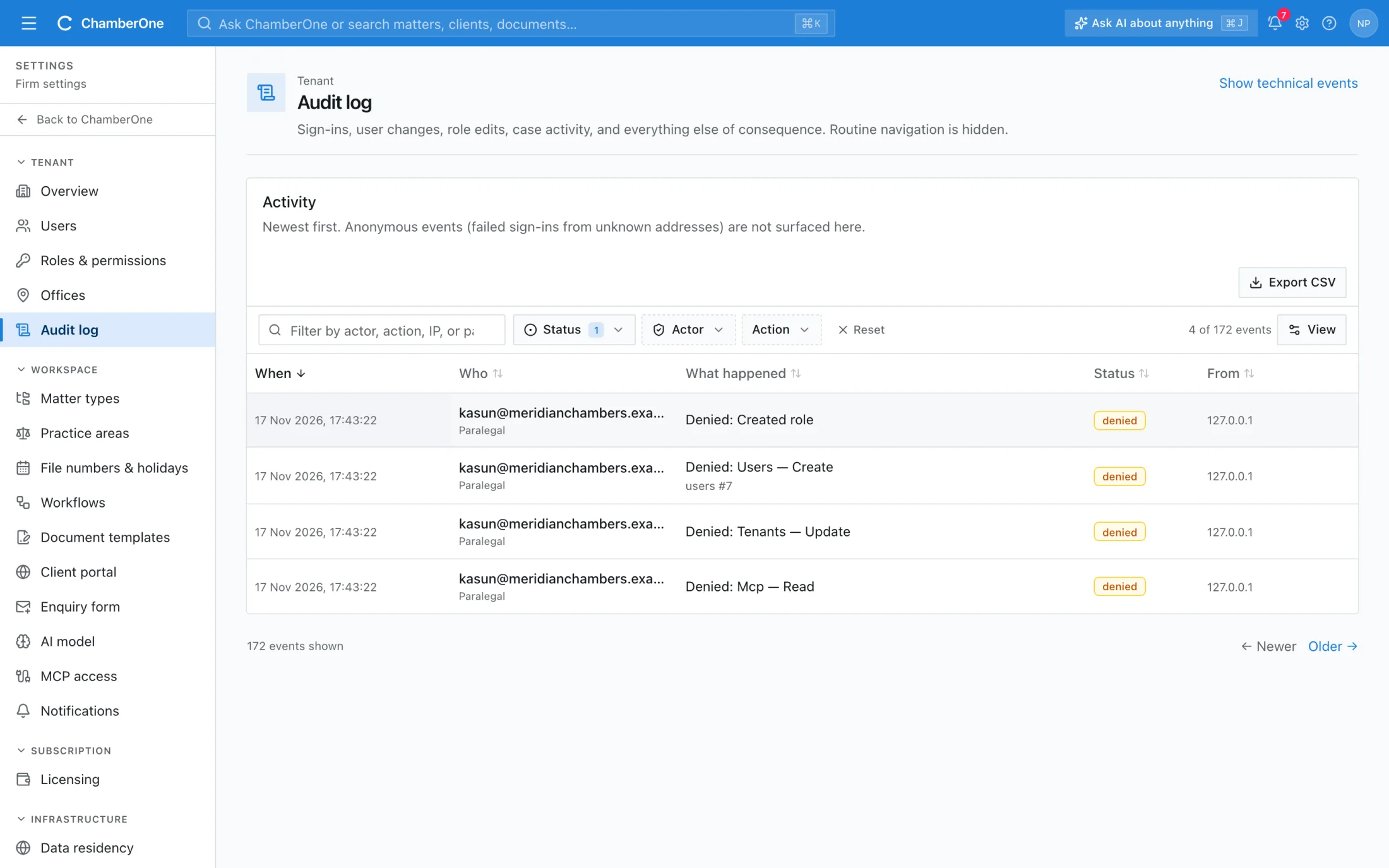
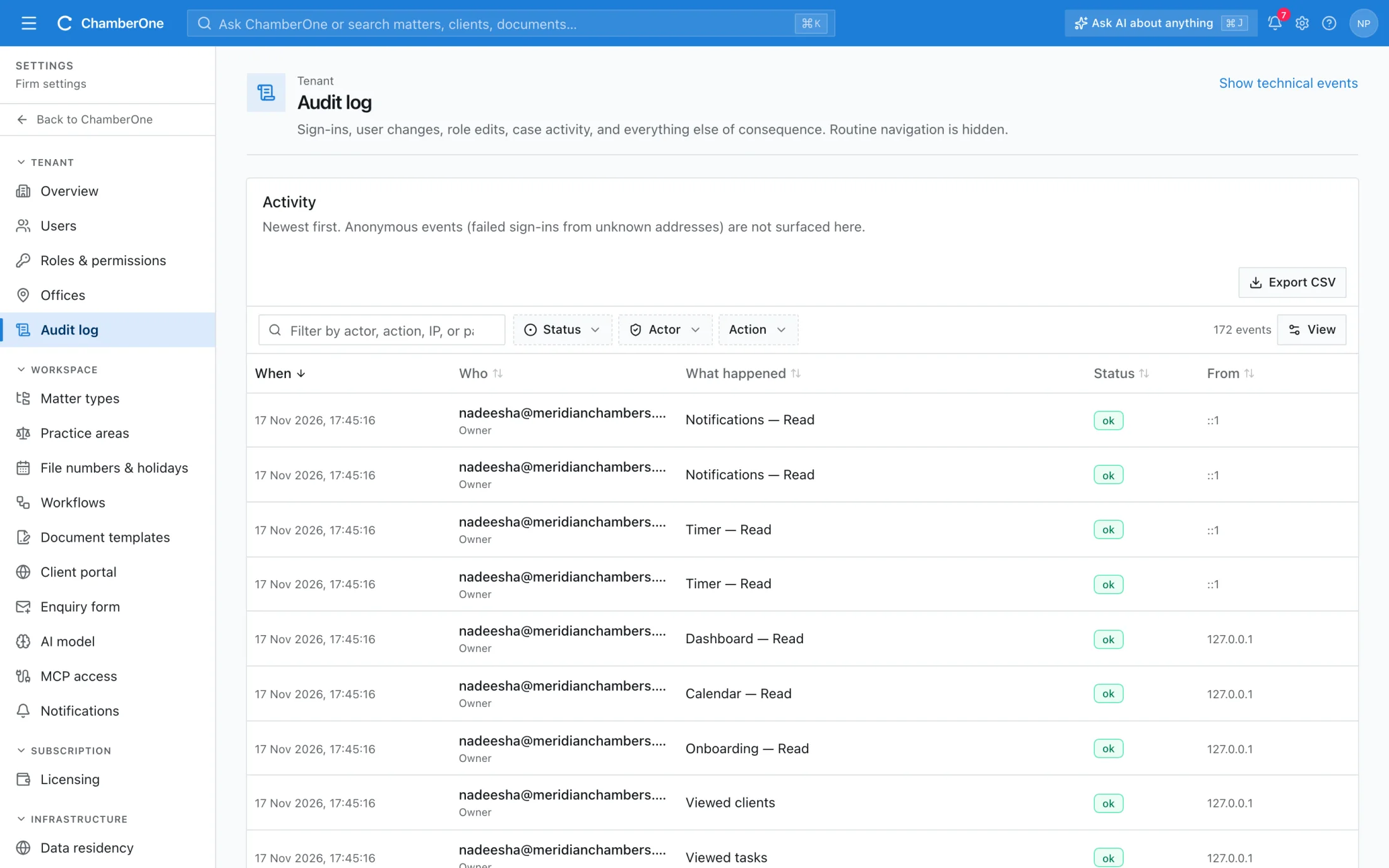
The Audit log screen listing events with date, person and role, what happened, status and address.

What you get

  • Every signed-in request is logged, except health checks and badge polls, with the person, the action and the address
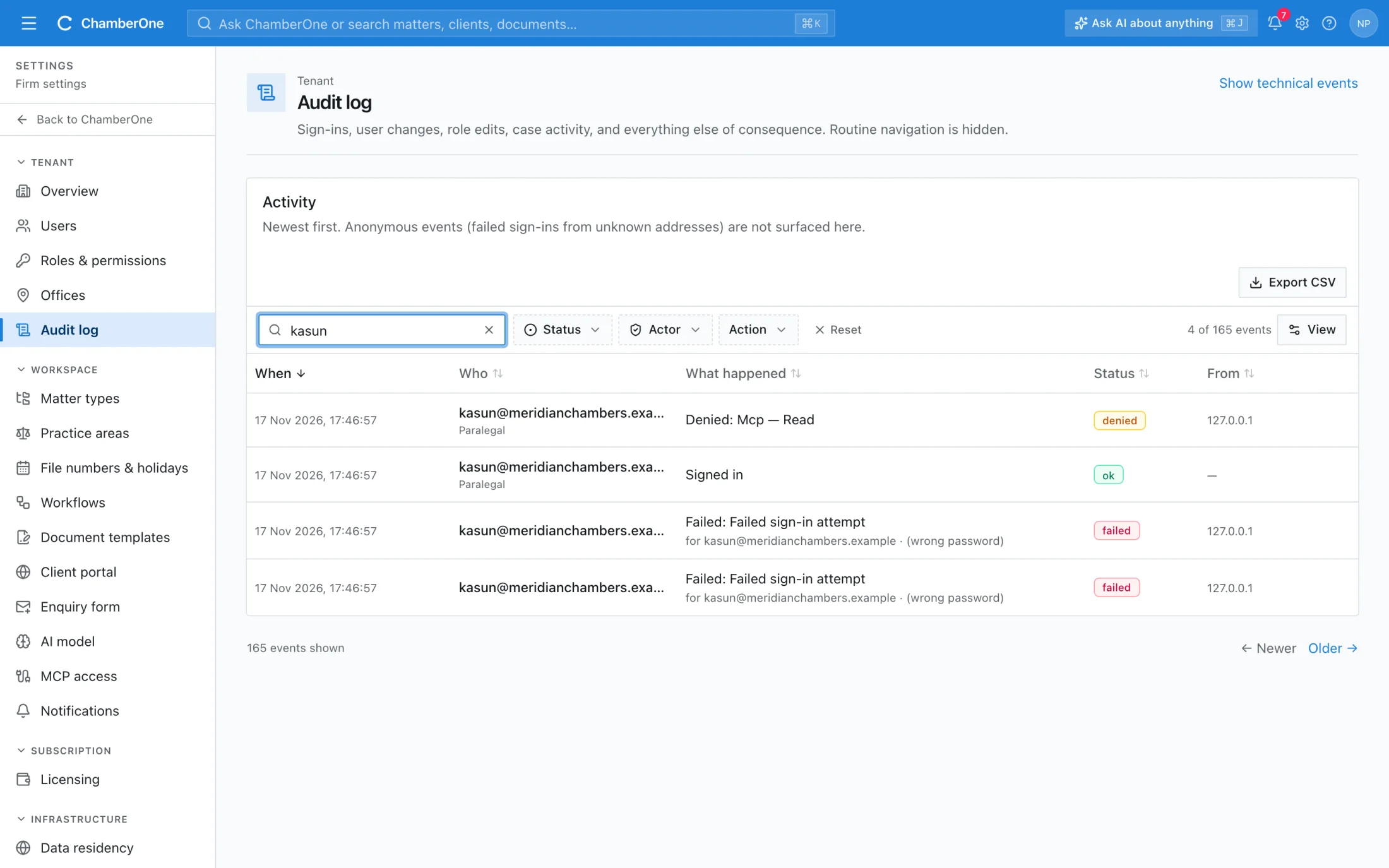
  • Each entry has a status: ok, failed or denied, so refused attempts are visible
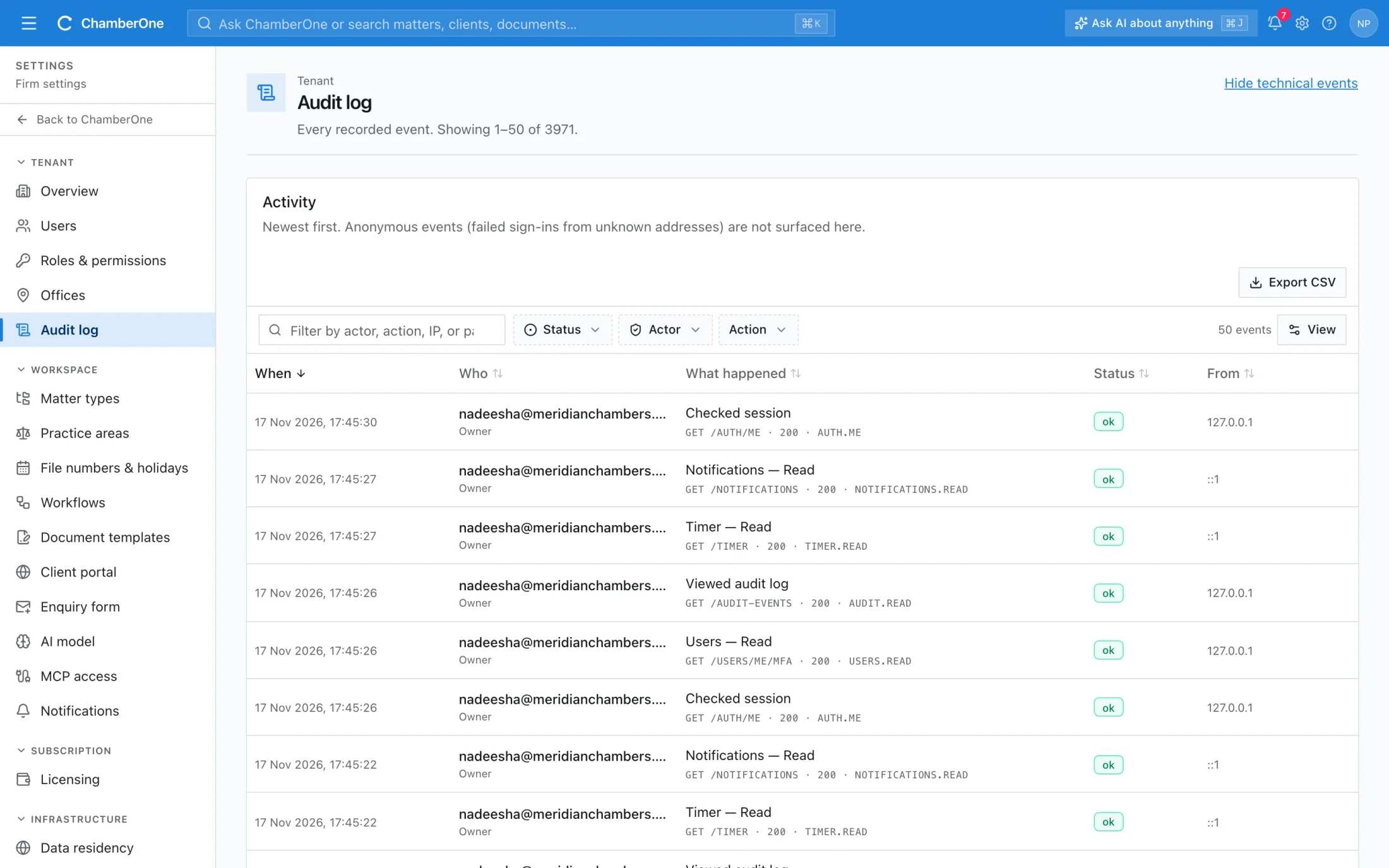
  • Plain-language events, with a toggle that shows the technical requests
  • Events on restricted records are hidden from people who can't see those records
  • Signing-link secrets are blanked in the log
  • Each matter has its own activity feed, and every AI assistant tool call is logged under the person who connected it

How it works

  1. 1

    Recorded automatically

    Every signed-in request is captured. Users cannot switch it off.

  2. 2

    Find what happened

    Filter by status, search by person or action, and switch on technical events when you need detail.

  3. 3

    Hand it to the auditor

    The Auditor role can read the log. Export CSV downloads the recorded events.

Works together with

Included in the same subscription. Nothing here is a separate add-on.

Team & roles

Built-in roles plus your own. Permissions are enforced on the server, not just hidden in the interface.

Import & export

Bring clients and matters in from Excel or CSV; export lists and reports to Excel when you need them.

Notifications

In-app and email alerts for assignments, deadlines, AI suggestions, signed letters and new enquiries.

Good to know

  • The screen's filters apply to the events loaded on screen. Export CSV downloads all recorded events without those filters, up to 50,000.
  • Before and after values are recorded for some changes, such as billing rates, not for every edit.
  • Tamper-evident hashing is on the roadmap. It is not in the product today, and we do not state a retention period.

Try it with your own matter.

60 days free, no card. A sample matter is loaded so the screens are not empty.